How to Change the Time Zone in kidsday
Kategori:
 School
İçin Faydalı:
Admin
Each country operates in a specific time zone, which directly affects schedules, dates, reports, and daily records within the system.
For this reason, it is very important to set the correct time zone when creating your kidsday account, or update it later if necessary.
Setting the correct time zone ensures that:
-
Activity schedules are displayed accurately
-
Daily and monthly reports are generated correctly
-
Communication with parents aligns with the actual local time
Steps to Change the Time Zone in kidsday
Step 1:
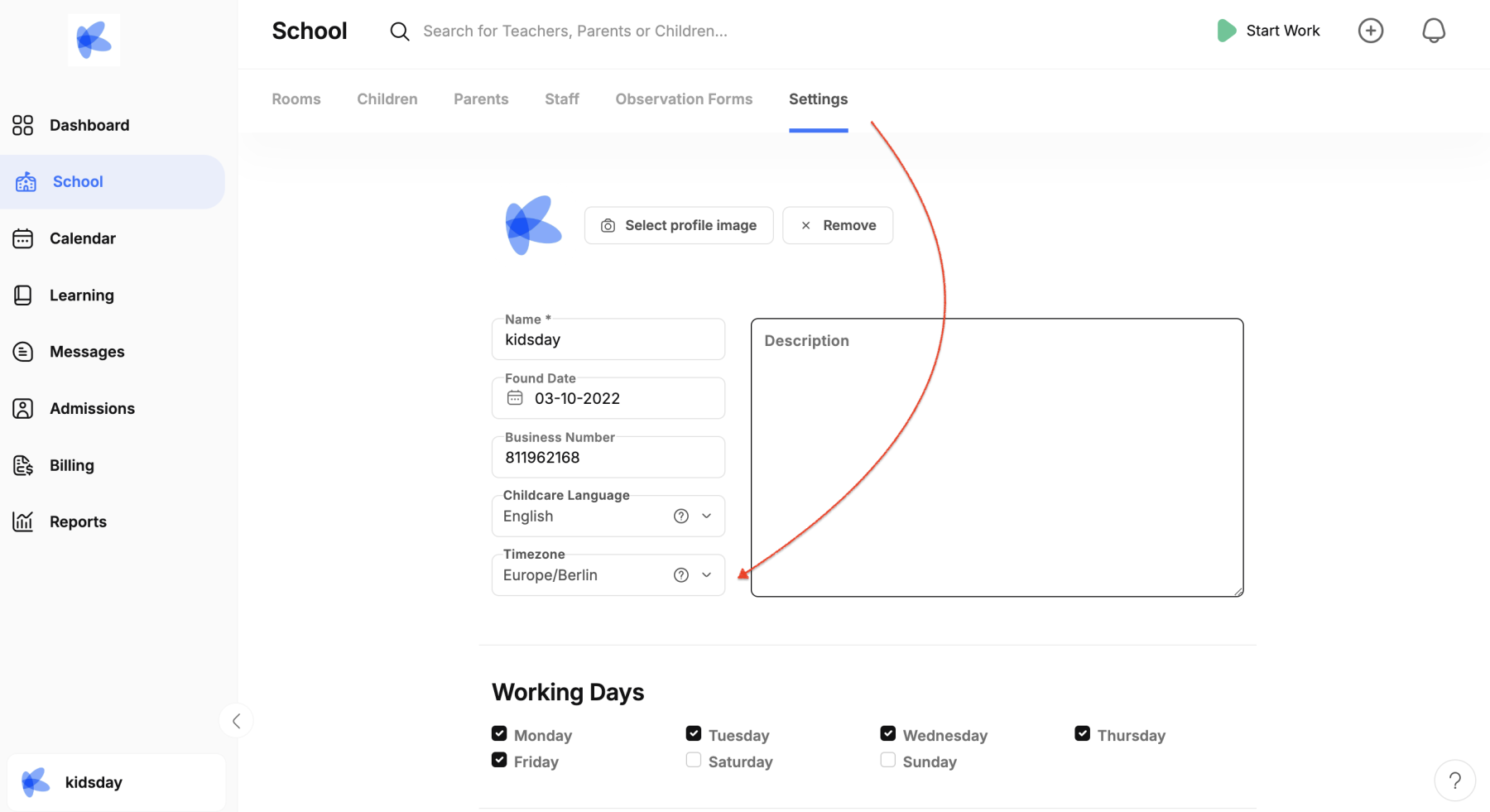
Go to the School option in the main menu.
Step 2:
Click on Settings.
Step 3:
Find the Time Zone section and select the time zone that matches your location.
Make sure the selection is correct and save the changes.
 Settings