New Feature: Educator Access Control in Activity Planning
Category:
 Planner
Useful for:
In some cases, the management staff may decide to support and allow educators to create activity plans without requiring prior approval. However, in specific situations, such as with new or inexperienced staff, the administrator may restrict this access.
In these cases, when an educator attempts to create a new activity, the system automatically sends a notification to the administrator for approval. Only after approval can the educator proceed to publish the activity in the lesson plan.
How It Works
Step 1: Go to Lesson Plans in your admin panel.
Step 2: Click on Settings.
Step 3: Select the option Staff Activities.
This section displays the list of educators in your institution. For each educator, you can choose whether to allow them to create activities independently.
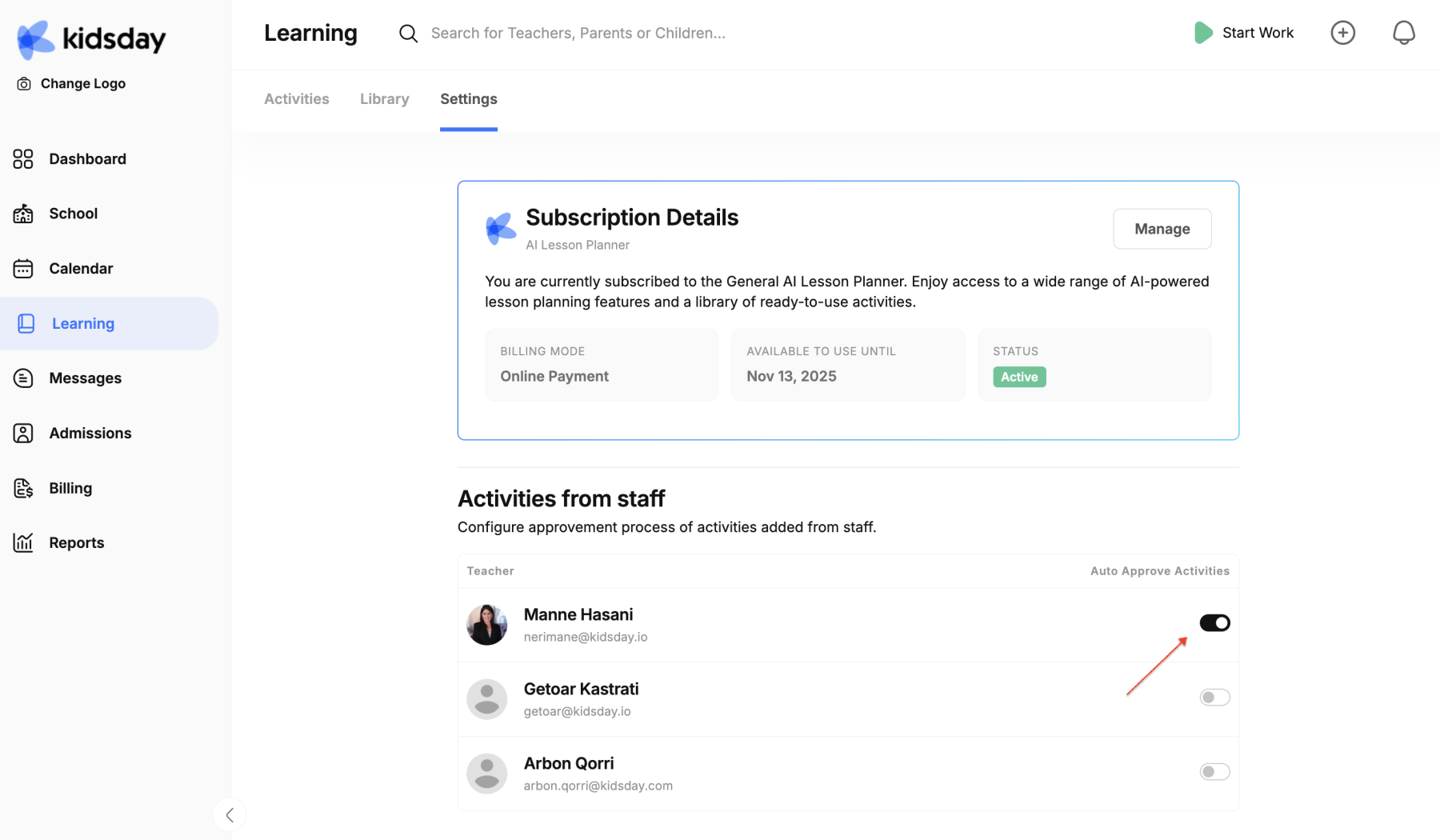
When enabled:
-
The educator can create, add, and plan activities independently.
-
Activities are automatically listed in the activity calendar.
When disabled:
-
The educator can create, add, and plan activities, but they are sent to the administration for approval.