How to Plan a Weekly Meal Plan
Kategori:
 Planner
İçin Faydalı:
Meal management is one of the most important features to ensure children’s well-being and care. With kidsday, you can create a complete meal plan for each class and each day of the week, including meal details, nutritional values, and visual descriptions.
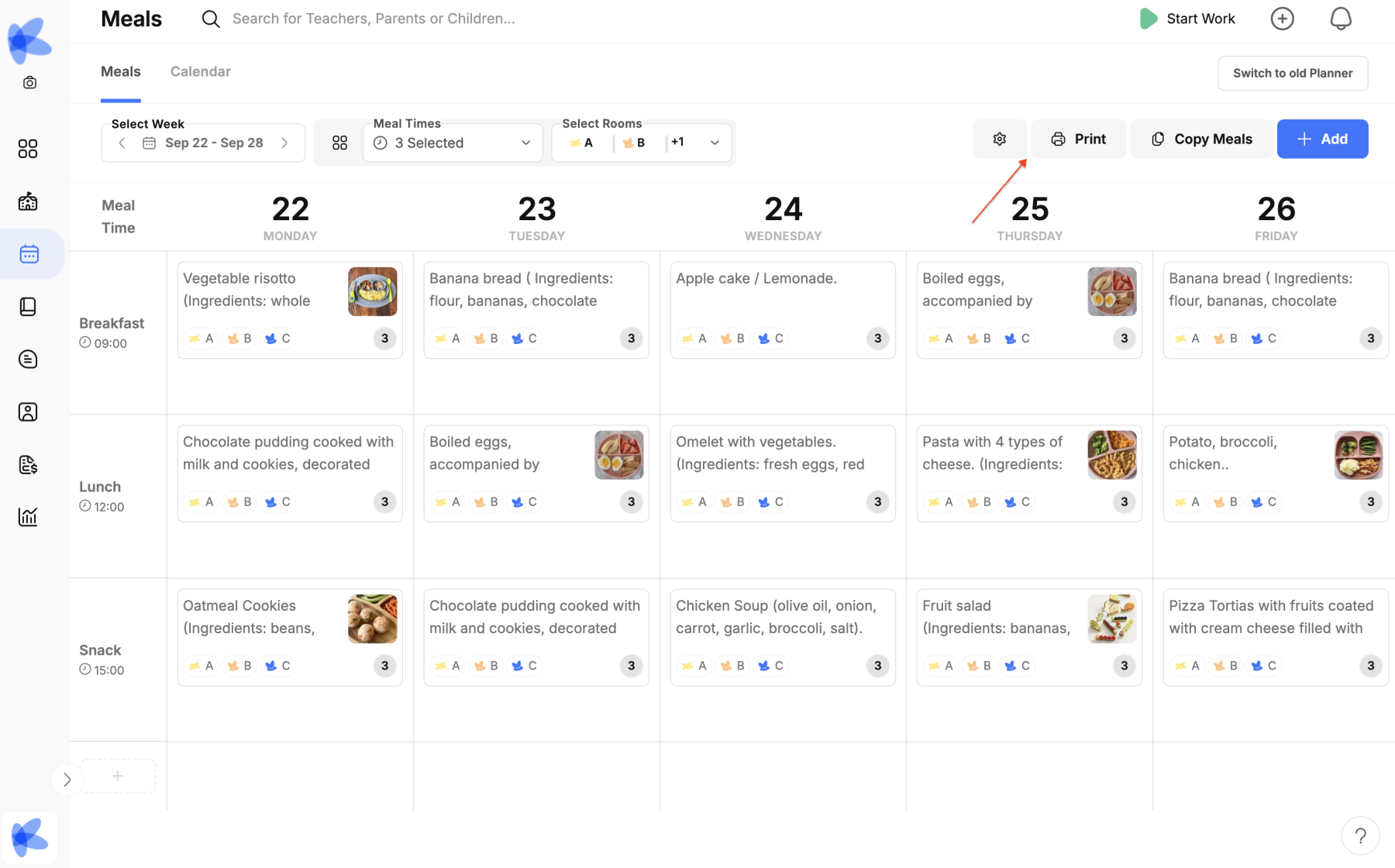
Steps to Configure Meals
1. Accessing the Meals Menu
-
From the main menu, click Calendar → Meals.
-
Here you will have an overview of the days and classes for which you want to plan meals.
2. Initial Configuration
-
Define the classes that will be included in the meal plan.
-
This step allows each class to have a customized menu according to their needs.
3. Selecting the Date and Meals
-
Click on the date where you want to add meals.
-
Select the meals you wish to plan (e.g., breakfast, lunch, dinner, snacks).
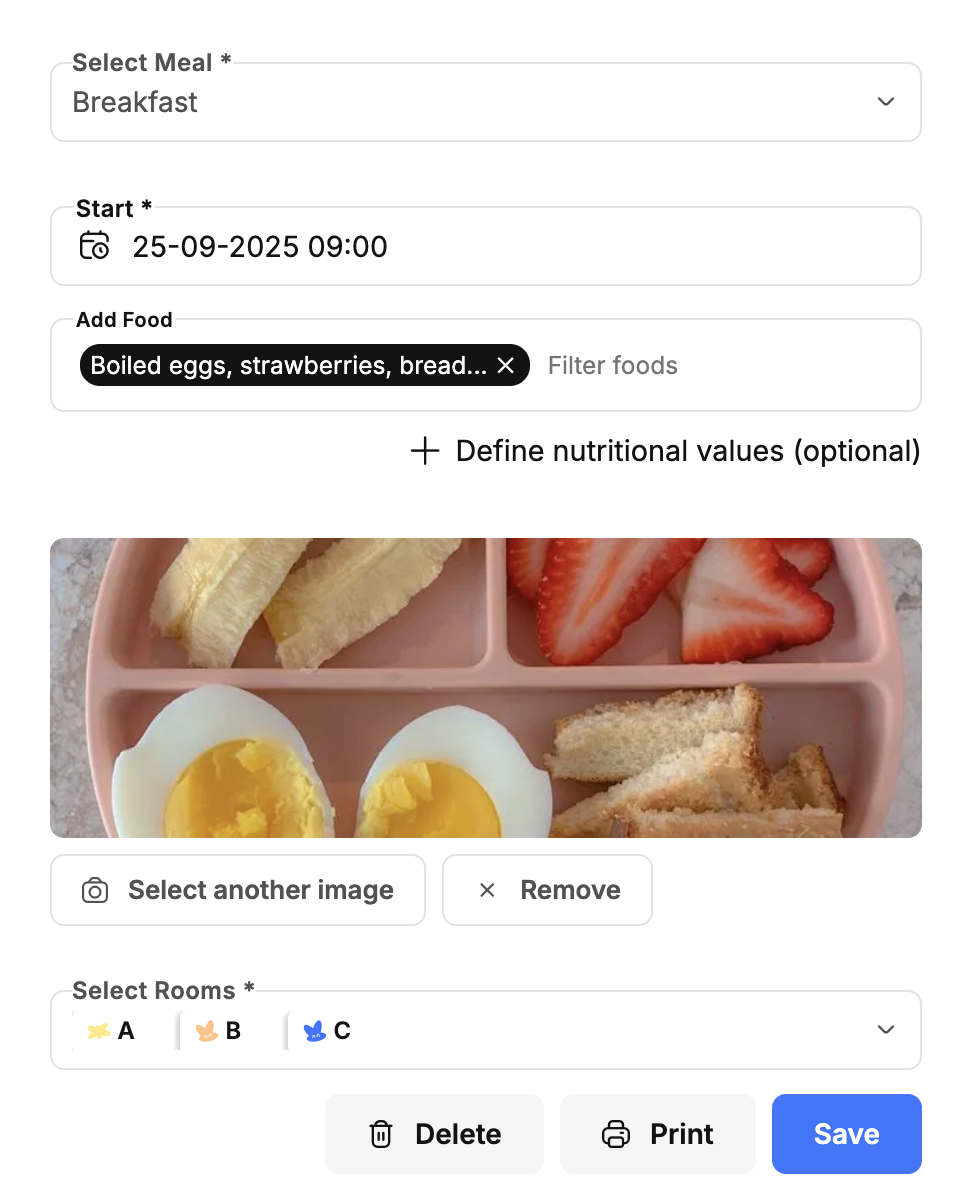
4. Adding a Meal
-
Click Add to insert a new meal.
-
Enter the name of the meal (e.g., Vegetable Soup, Fresh Fruit).
5. Defining Nutritional Values
-
For each meal, you can add nutritional values such as calories, proteins, carbohydrates, and vitamins.
-
This provides a professional level of planning and supports monitoring of children’s healthy diet.
6. Adding an Image
-
To make the plan more visual and user-friendly, you can upload an image of the meal.