- On the Children screen, tap Activity on the child's card.
- The daily report opens with the child's name, room and check-in time.
- Tap the type of report you want to add.
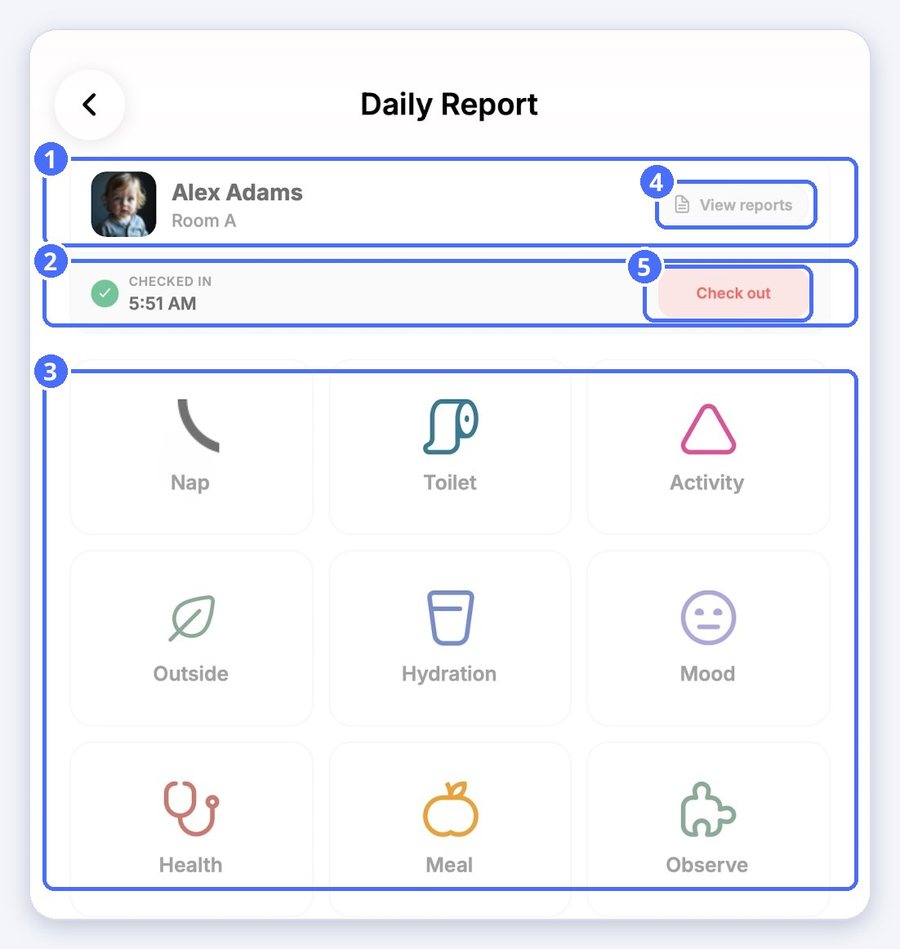
You can record a Nap, Toilet, Activity, Outside time, Hydration, Mood, Health, a Meal or an Observe entry (an observation).
Example: a nap
- Tap Nap.
- Switch Slept on or off.
- Optionally, choose how long the child slept, for example 30 min or 1 h, or tap Set time.
- Add notes, a photo from your library or a new photo.
- Tap Save.
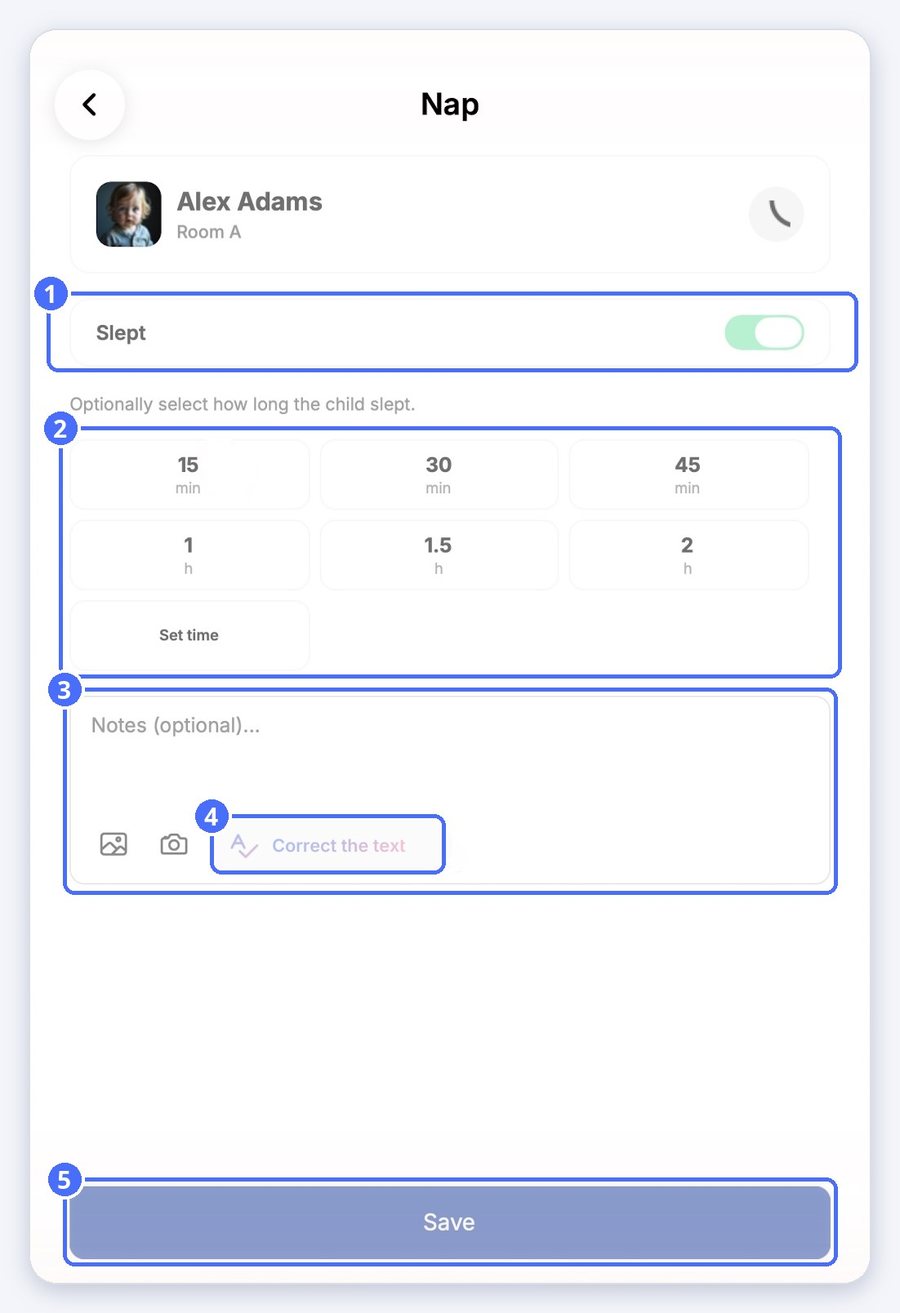
Tip: Correct the text uses AI to fix spelling and grammar in your note before you save it.
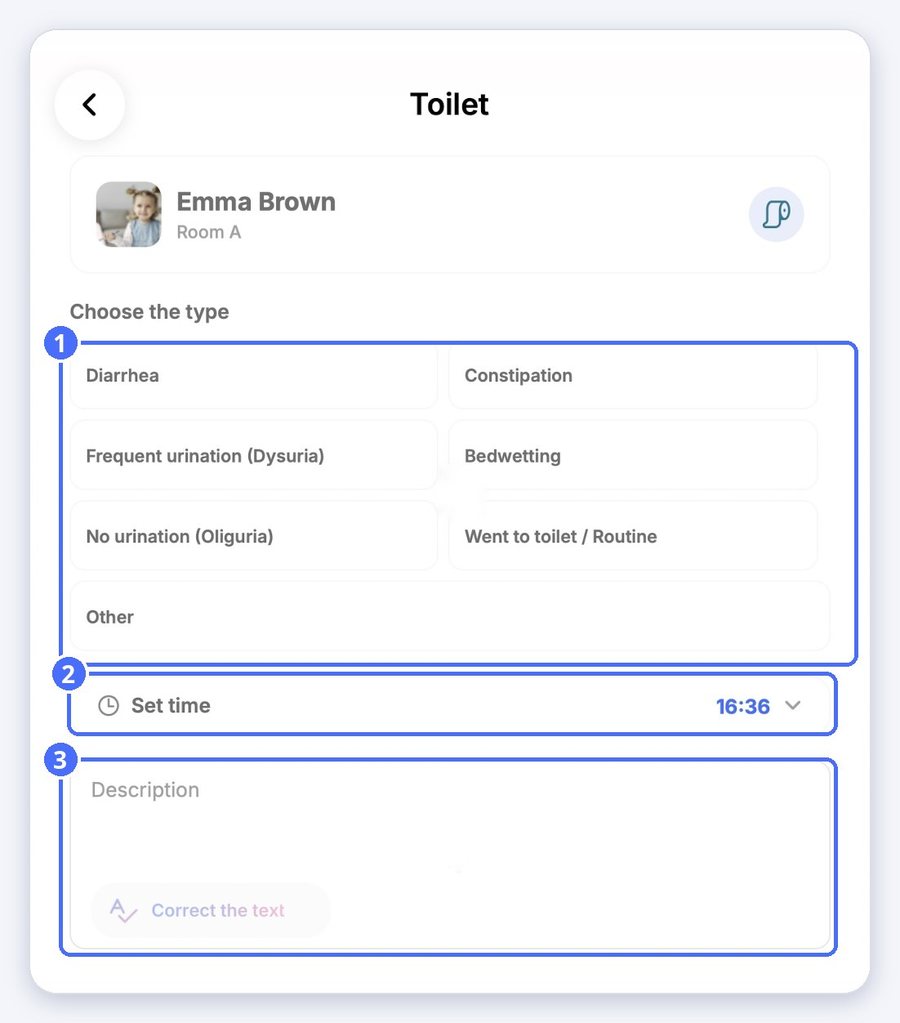
Example: toilet
Each report type has its own options. For Toilet, choose the type, such as Went to toilet / Routine or Diarrhea, set the time and add a description if needed.
See today's reports
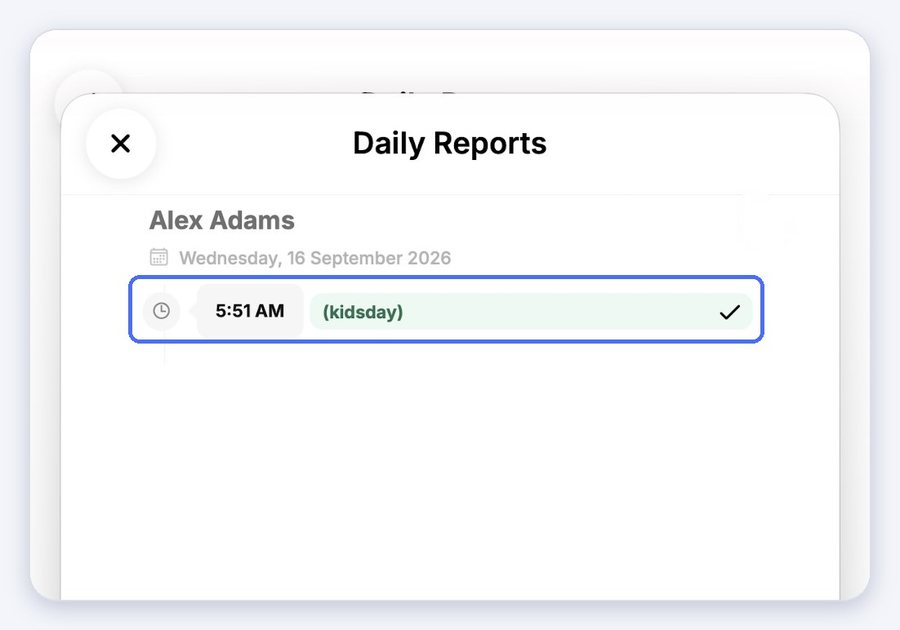
Tap View reports to see everything already recorded for the child today.