How to Register Prices for Payment Invoices in kidsday
Category:
 Billing
Useful for:
Each Nursery has its own rules and prices that apply to the services and activities offered. With the price registration feature in kidsday, administrators can set fees for services, such as kindergarten tuition or other activities and courses offered within the institution. This feature is useful for sending invoices for payments from parents, making the process simpler and automated.
Steps for Registering a Price:
- Open the "Billing - Prices" Section:
Click on the "Billing - Prices" section to start the price registration process.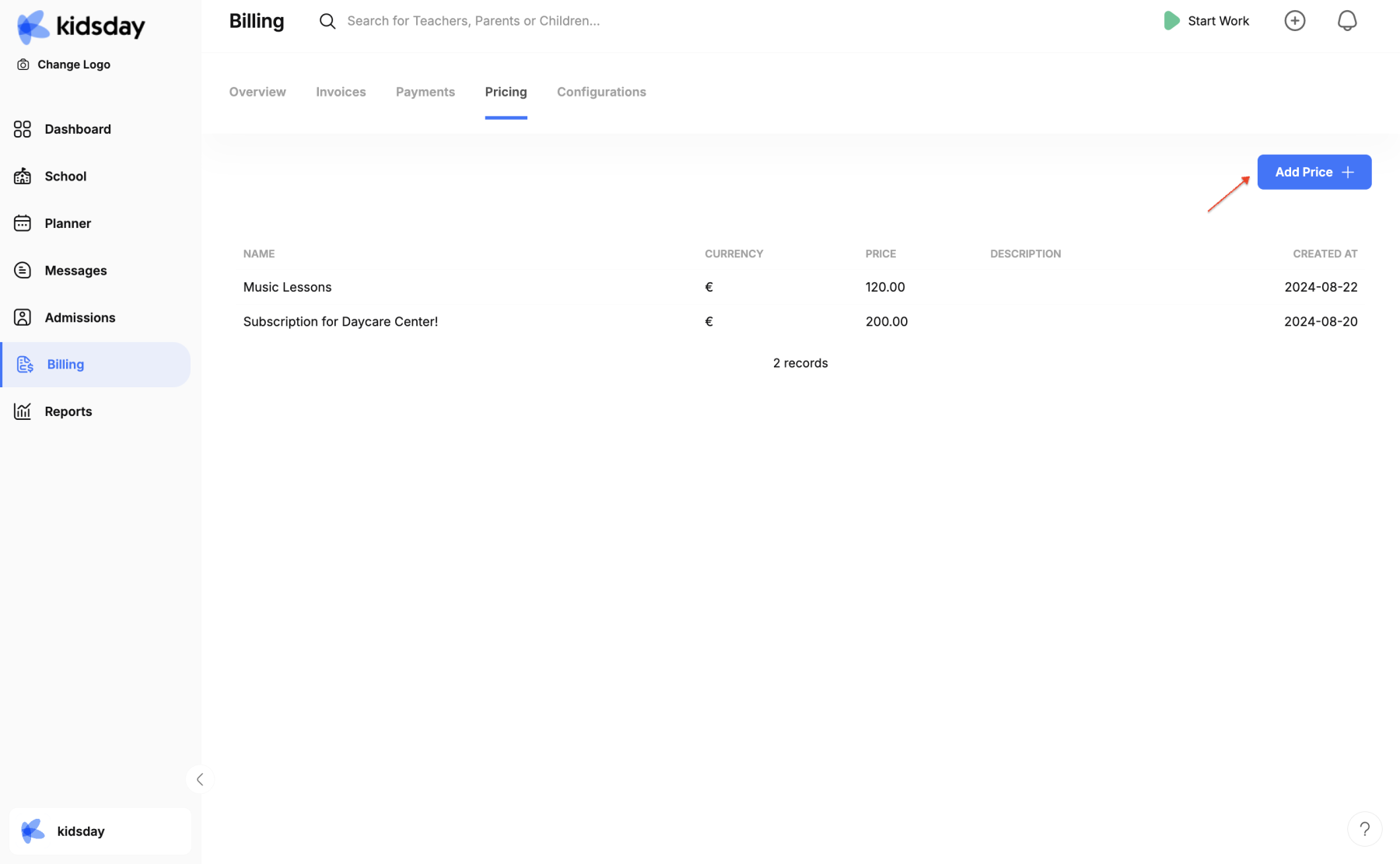
-
Set the Price:
Click on the option to add a new fee. Here, you can set prices for specific activities, courses, or monthly fees for children enrolled in the Nursery.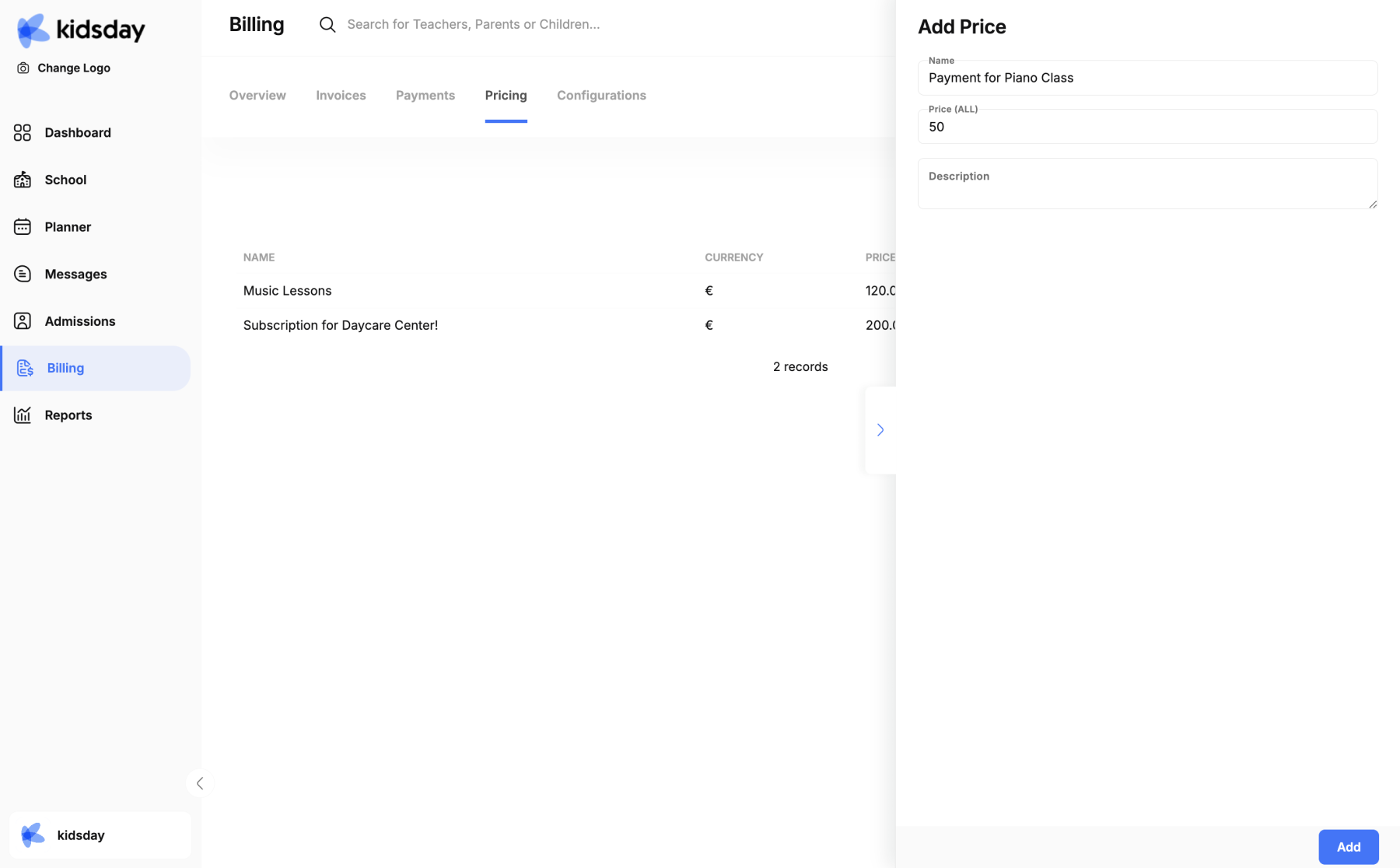
-
Save the Price:
After setting the price, click to save the changes. The price will be visible to administrators and can be sent via invoice to parents. -
Send the Invoice:
After the price is registered, you can send the corresponding invoice to the parents via the system. The invoice includes details of the fee and payment period.
This process helps organize payments and improves efficiency in managing invoices for parents.