How to Generate a Monthly Attendance Report for Children in kidsday
Category:
 Reports
Useful for:
Admin
The Reports feature is essential for ensuring accurate attendance tracking for children in your daycare. Whether parents need to verify their child's attendance for a specific period or administrators want to maintain detailed records for safety and compliance, this feature is here to help. Here's how to use it effectively:
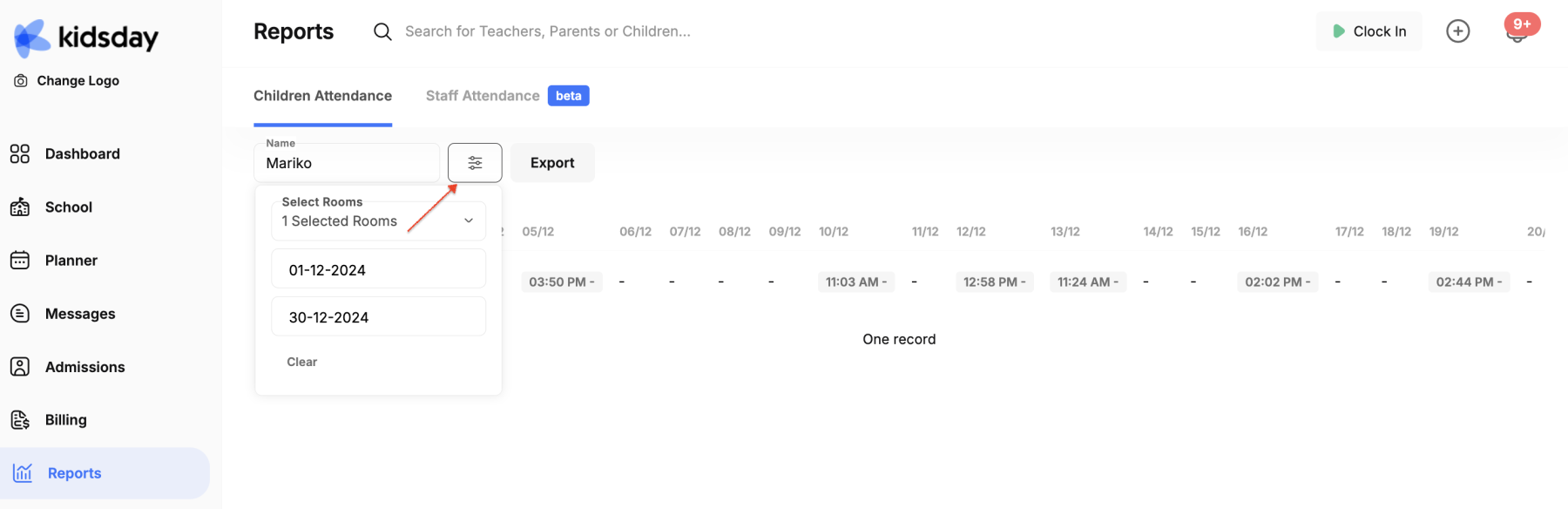
- Access the Reports option: This is the last option in the feature menu.
- Search for the child and their class: Enter the child’s name and select the class they are assigned to.
- Specify the period: Choose the one-month period for which you wish to track attendance.
- Export the report: If needed, you can export the attendance record as a document to share with parents or for internal records.