How to Plan Lesson Plan with AI in Kidsday
Category:
 Planner
Useful for:
The new AI feature in Kidsday allows you to automatically create lesson plans based on age group, weekly themes, and learning objectives. AI suggests daily activities, materials, and implementation methods, saving time and improving the quality of your planning.
Note: The first use is free to test the feature. Additional uses require a paid subscription.
Why is it important?
-
Faster planning – AI suggests activities and themes, reducing manual work.
-
Personalization for each class – lesson plans can be adapted according to age group and children’s needs.
-
Quality and creativity – AI generates new ideas and varied activities.
Steps to Plan Lesson Plans with AI
Step 1: Access the Lesson Plan
-
From the main menu, click Lesson Plan.
Step 2: Select Class and Age Group
-
Choose the age group and class you want to plan for.
Step 3: Activate AI
-
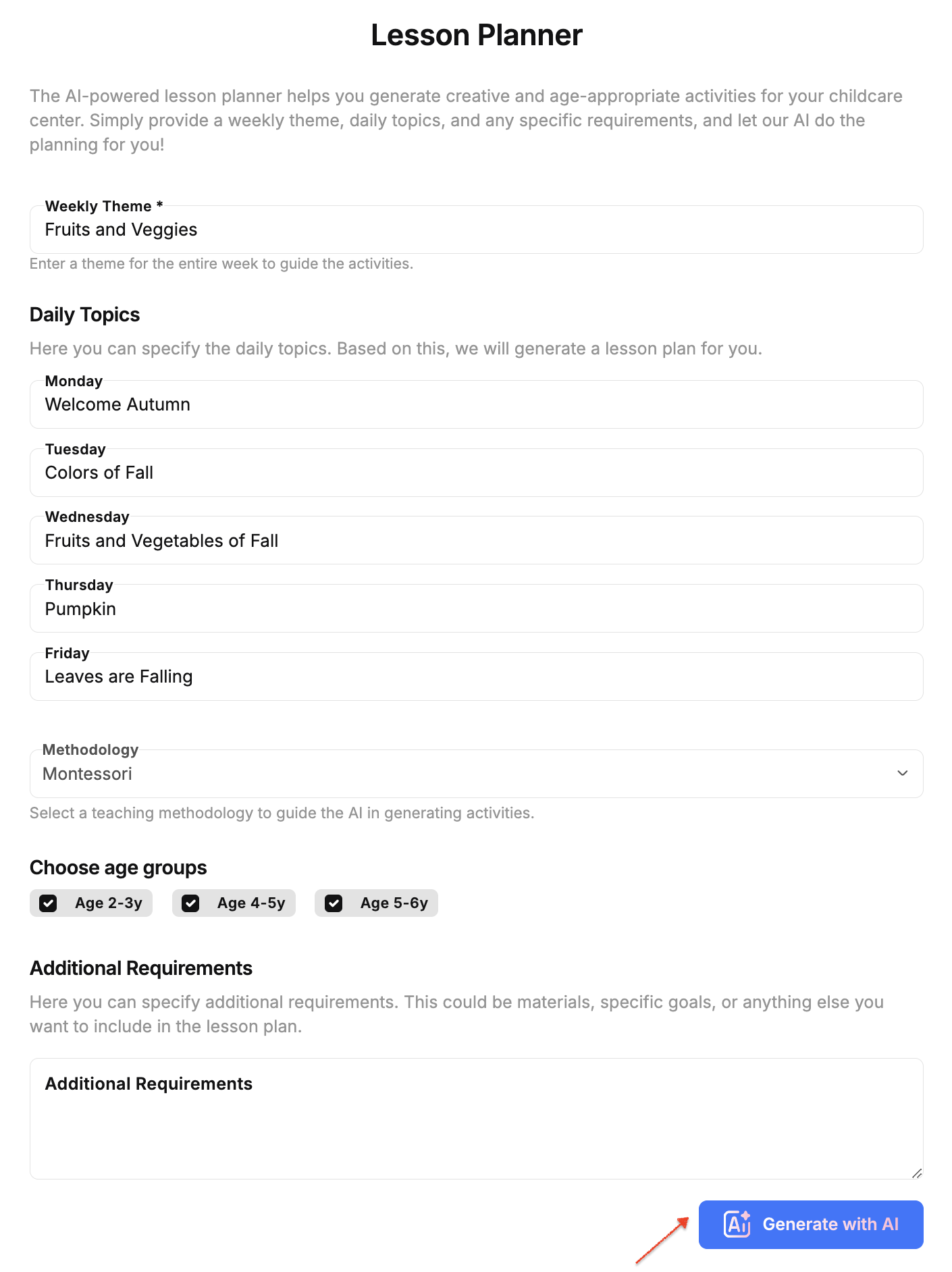
Click “Plan with AI” or the AI icon.
-
Enter the weekly theme, daily topics and methodology.
Step 4: Review AI Suggestions
-
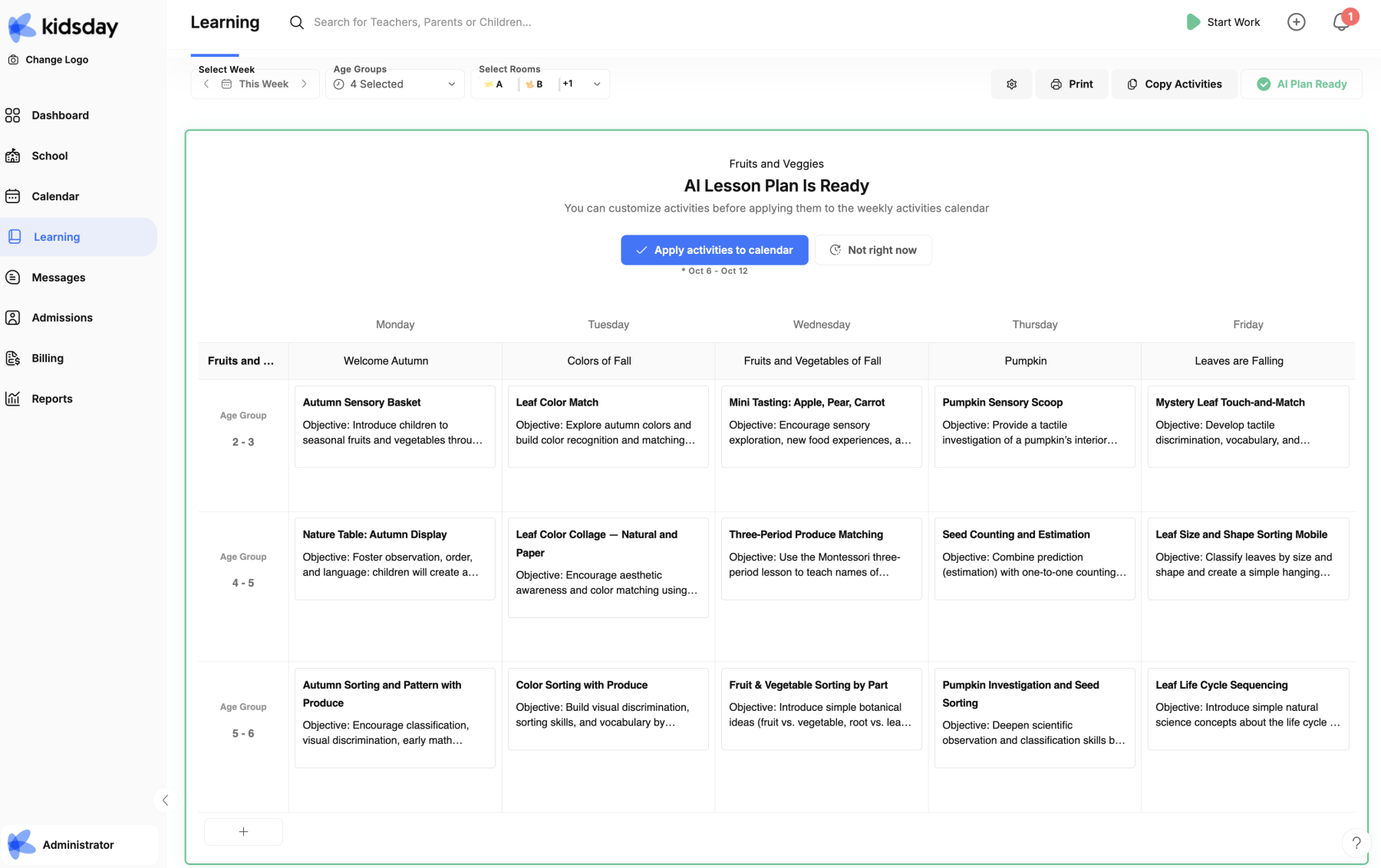
AI will suggest daily activities, required materials, and activity objectives.
-
You can review and modify suggestions as needed.
Step 5: Apply activities to calendar
-
Once satisfied with the plan, click “Apply activities to calendar”.
-
The lesson plan is now visible to educators and ready for immediate use.