Record one report for several children

Use the bulk daily report to record the same meal, nap or activity for several children at once.

Record one report for several children

The Bulk Daily Report saves time when the same thing happened for several children, for example when the whole room had lunch.

  1. Tap the plus button in the bottom bar.
  2. Tap the report type, for example Meal.
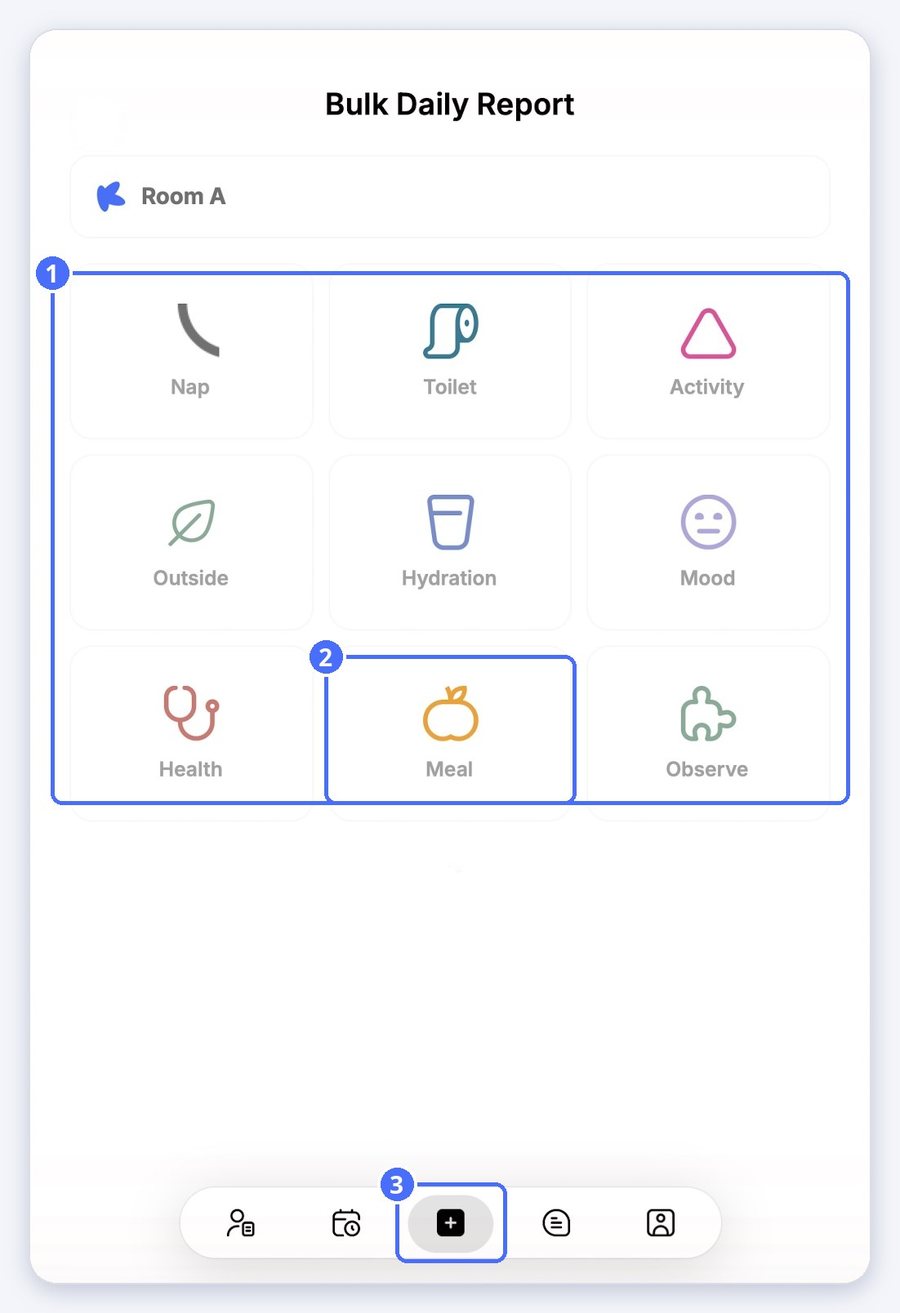
(1) Report types, (2) Meal, (3) the plus button
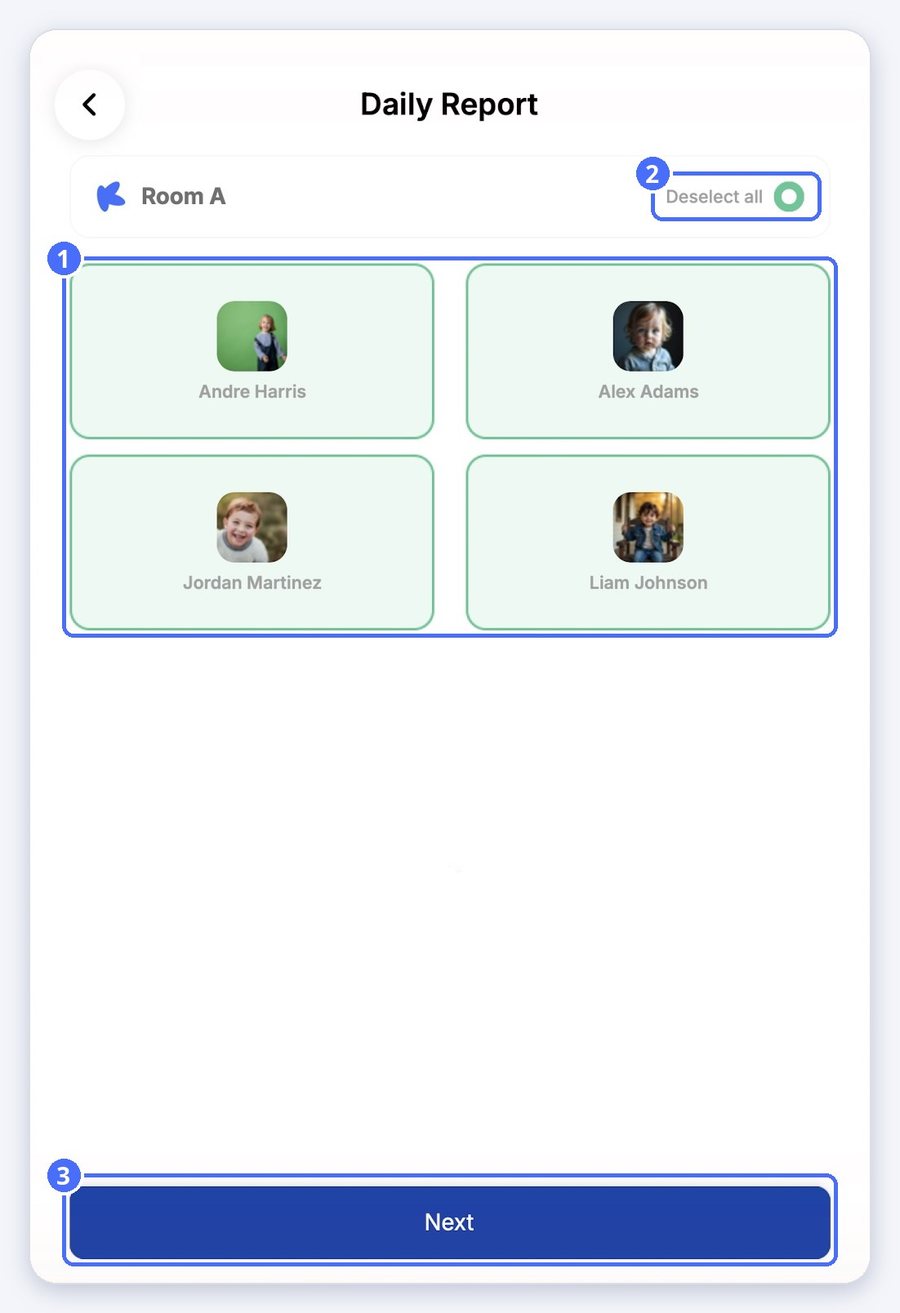
  1. Tap each child the report applies to, or tap Select all.
  2. Tap Next.
(1) The children, (2) Select all, (3) Next
  1. Fill in the report. For a meal, select the quantity consumed: 0, 50%, 80% or 100%.
  2. Add a description or a photo if you like.
  3. Tap Save. The report is added to every selected child's daily report.
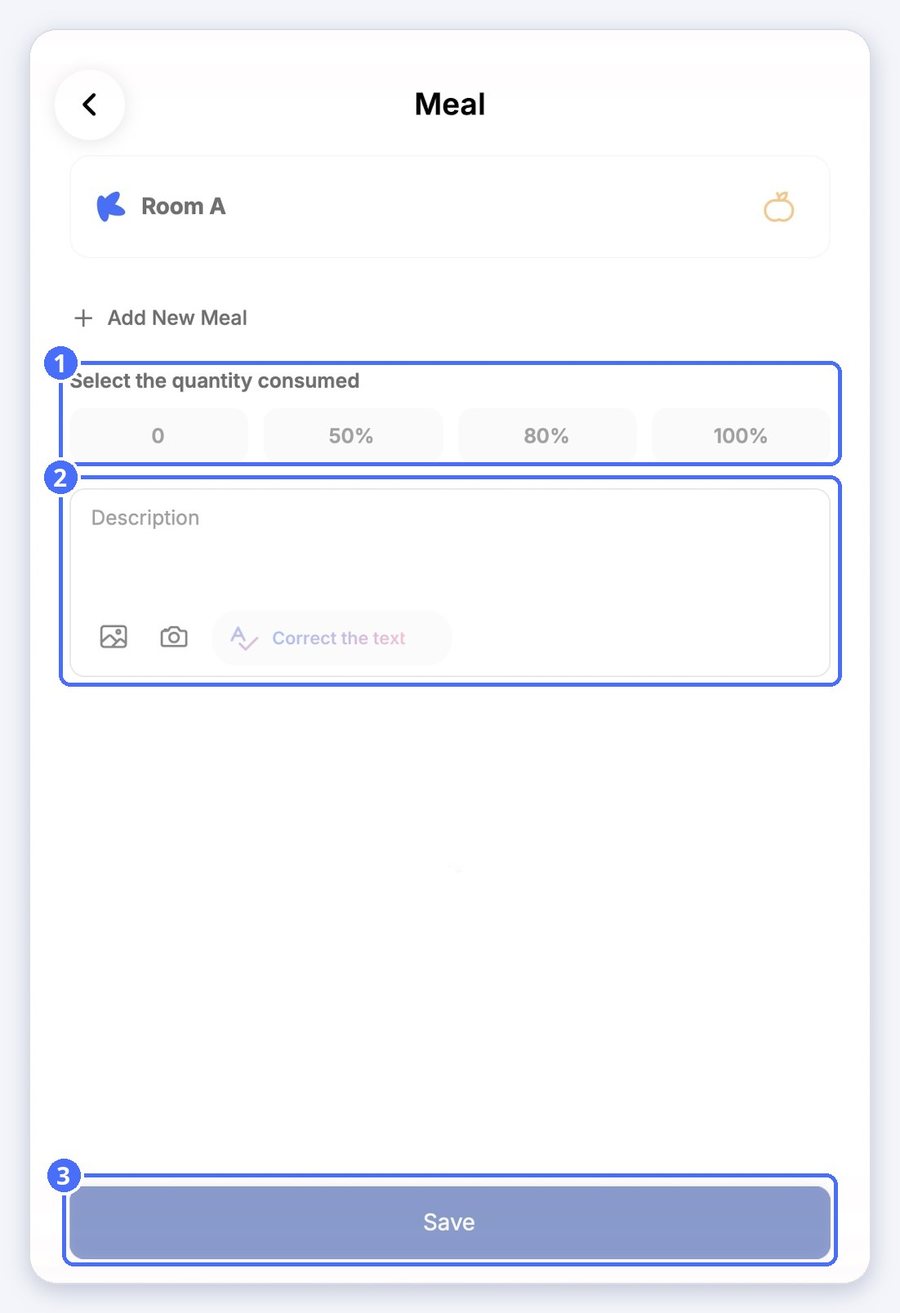
(1) Quantity consumed, (2) description and photos, (3) Save

Tip: Tap Add New Meal to record another meal in the same report.

Related topics

Empower your center, your team, and your children