See your agenda
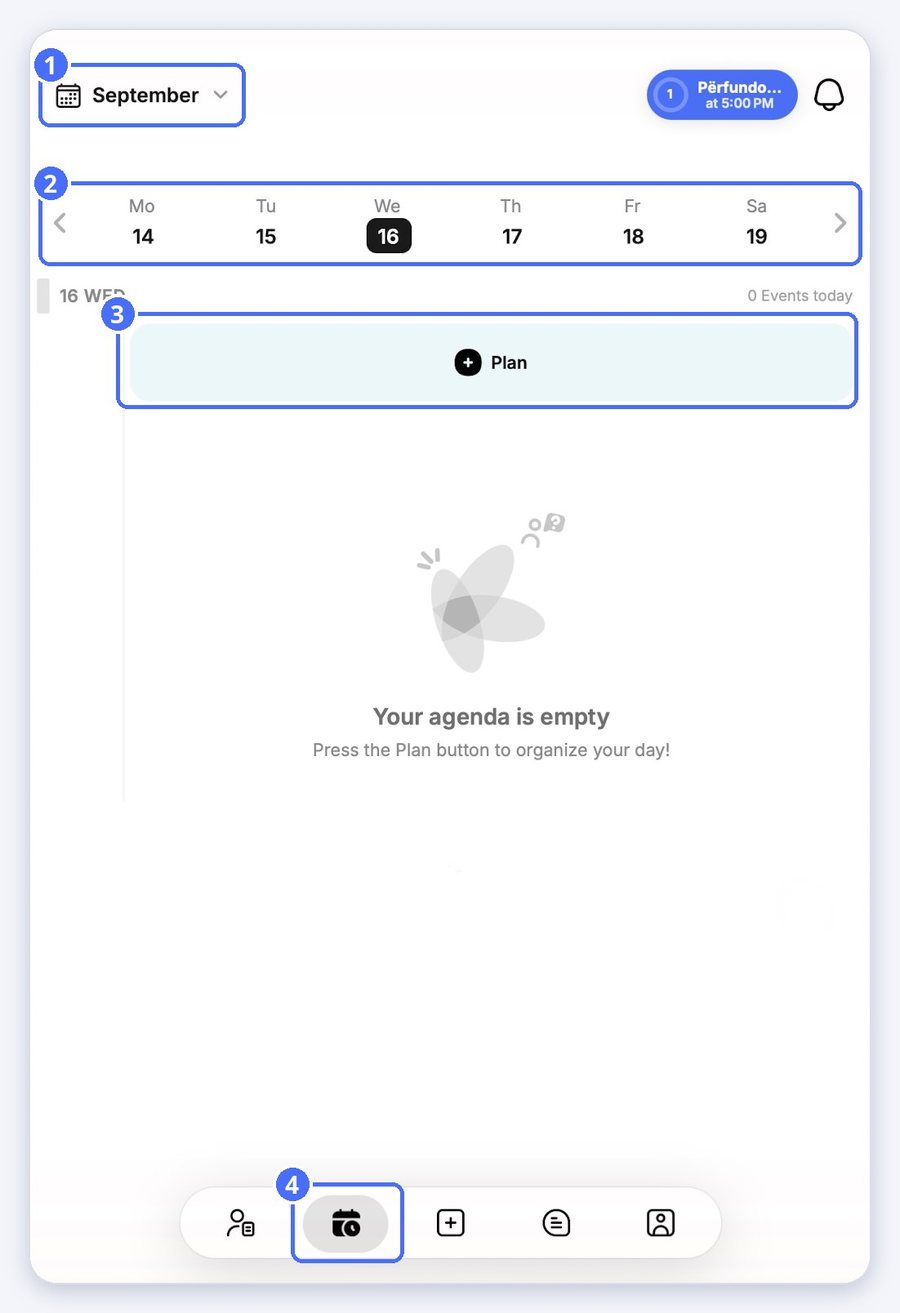
- Tap Calendar in the bottom bar.
- Tap a day in the week strip. Use the arrows to change weeks, or the month name to pick another month.
Add an activity
- Tap Plan, then Activity.
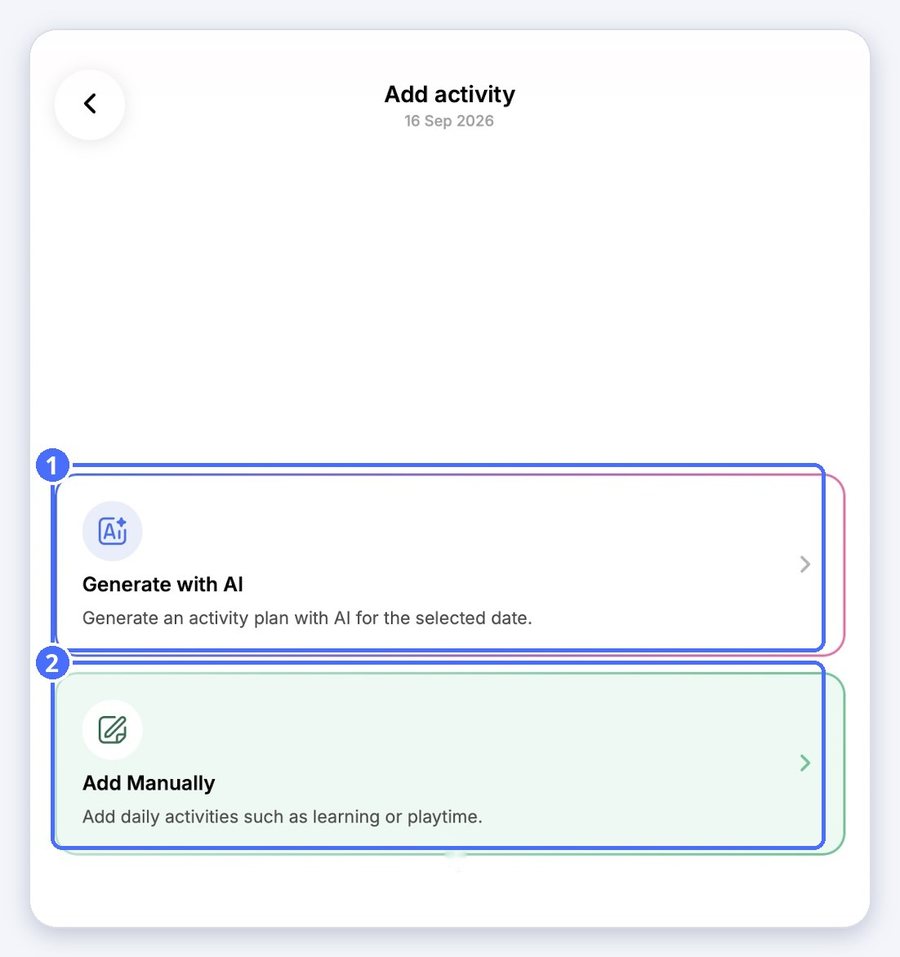
- Choose Generate with AI or Add Manually.
Generate an activity plan with AI
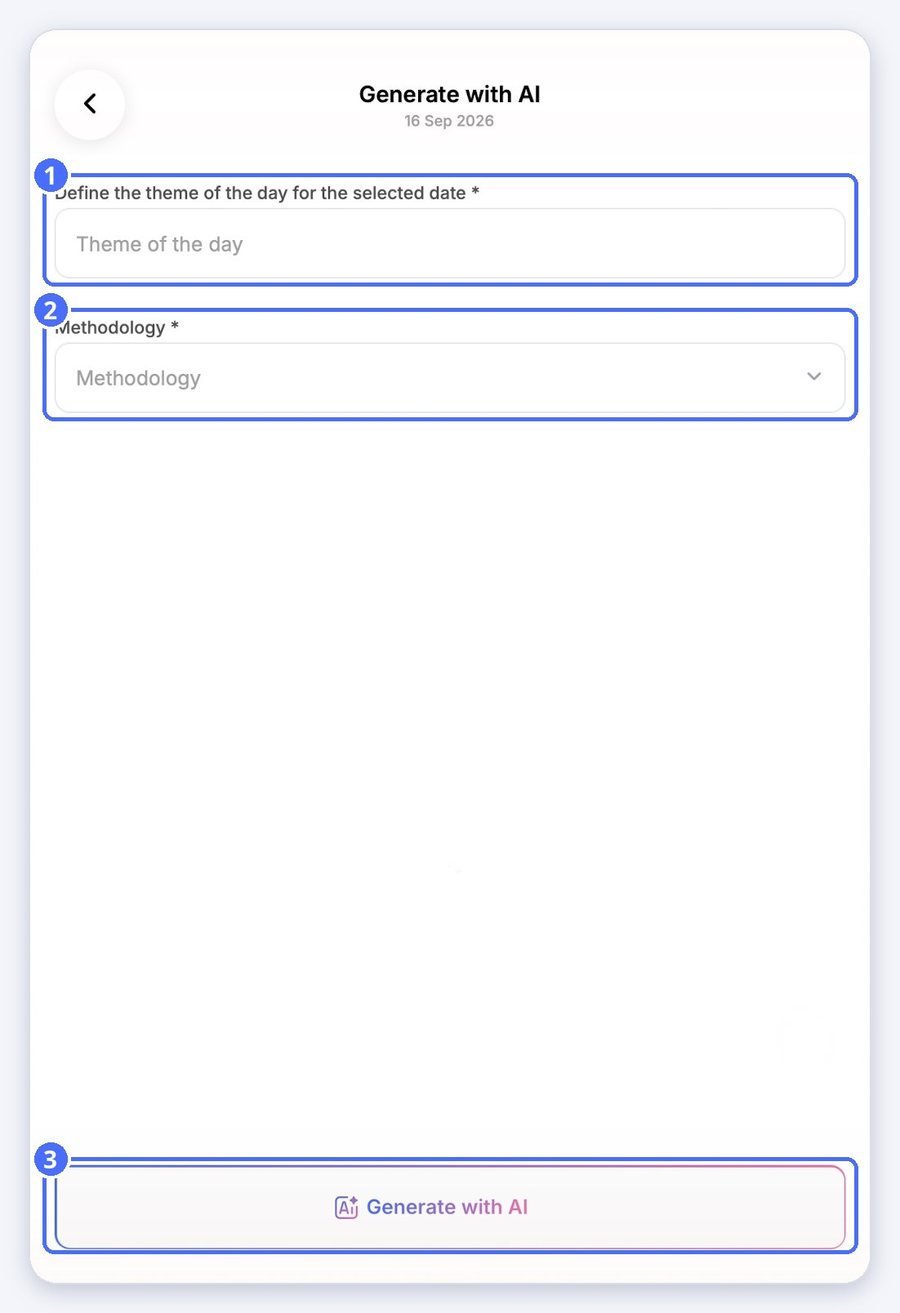
- Enter the theme of the day, for example “Autumn leaves”.
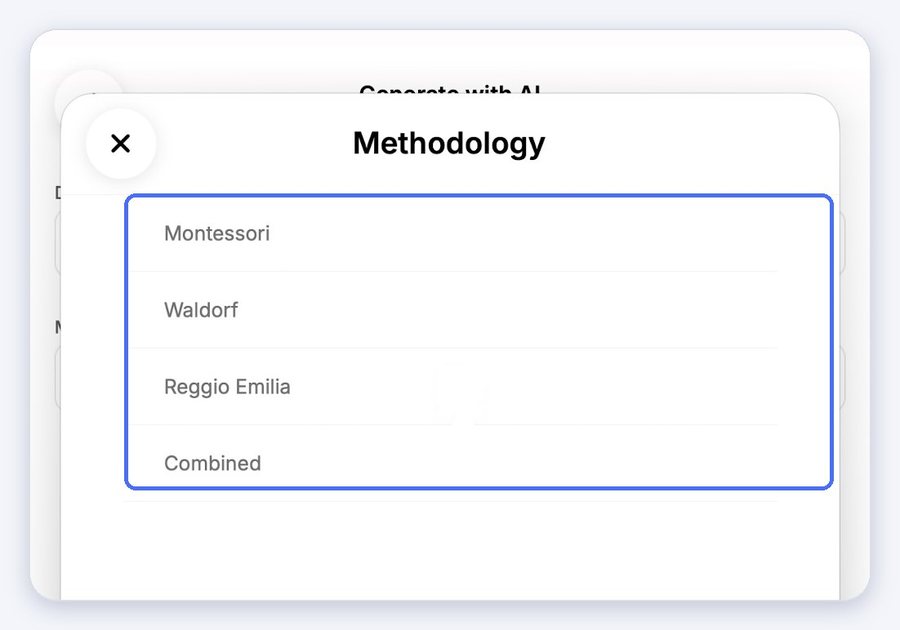
- Choose a methodology: Montessori, Waldorf, Reggio Emilia or Combined.
- Tap Generate with AI.
Add an activity yourself
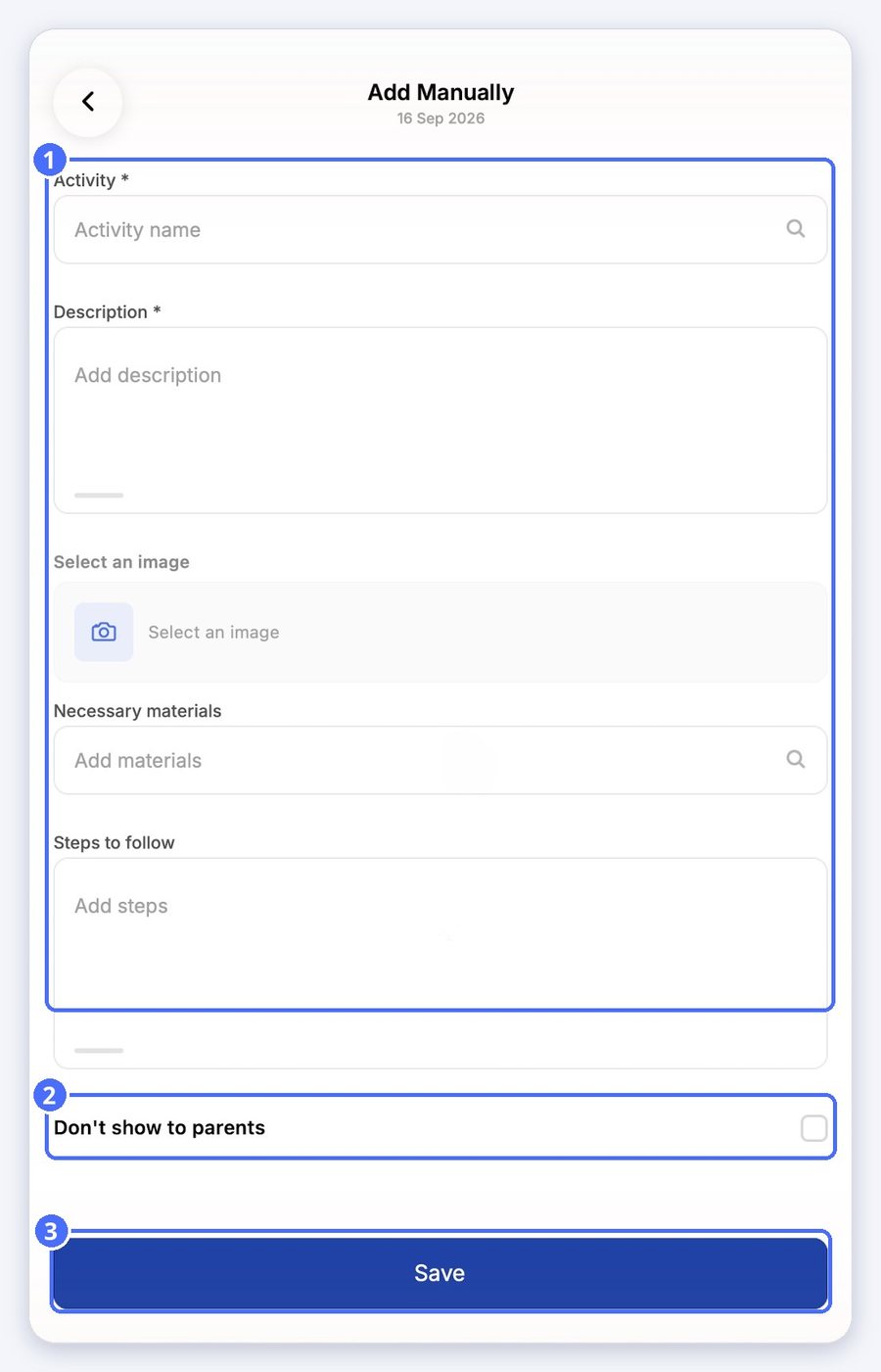
- Enter the activity name and a description.
- Optionally, add an image, the necessary materials and the steps to follow.
- Switch on Don't show to parents if the activity is for staff only.
- Tap Save.