
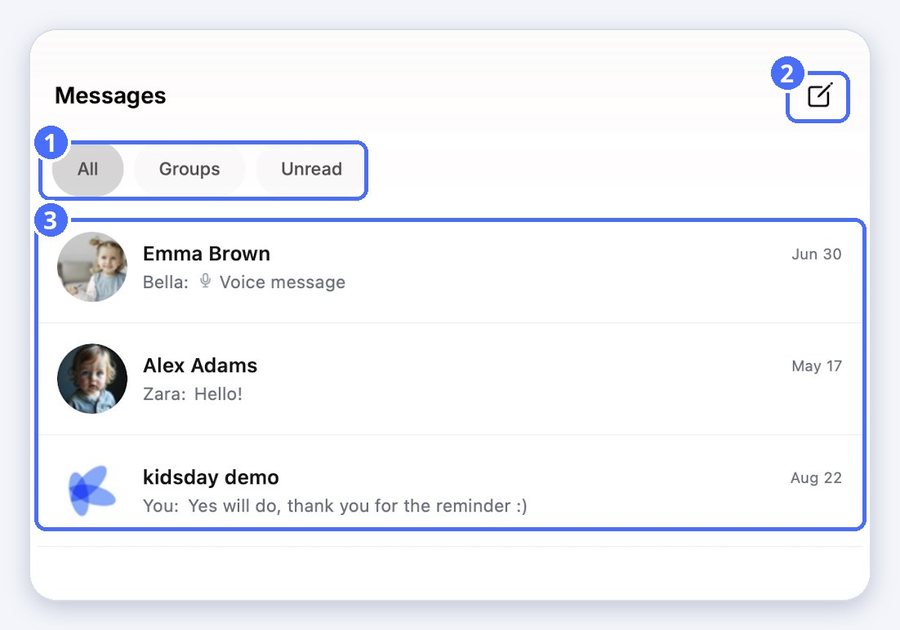
Your conversations
Tap Messages in the bottom bar. Use All, Groups and Unread to filter the list.
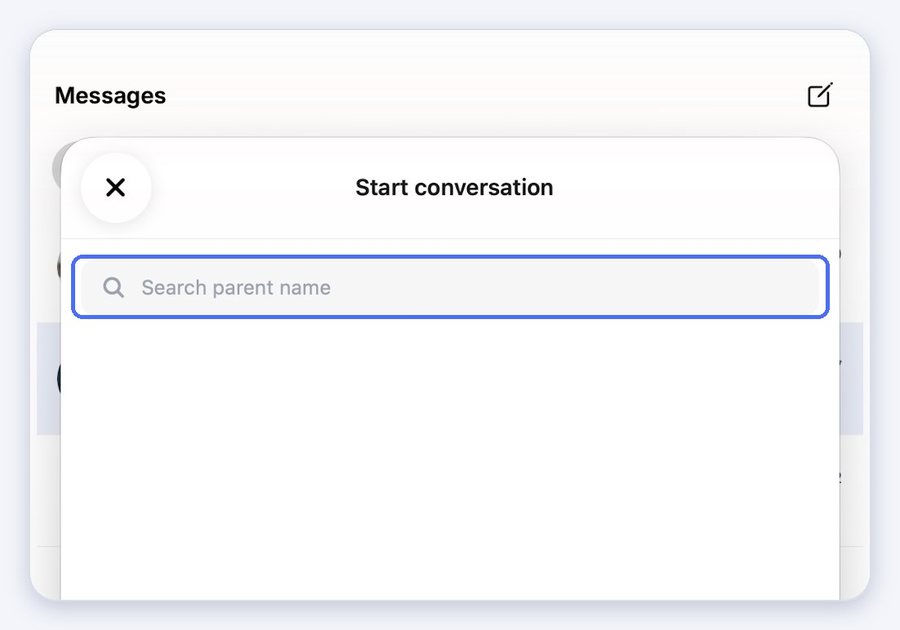
Start a conversation
- Tap the pencil at the top right.
- Search for the parent by name and tap them.
Send messages, photos and voice messages
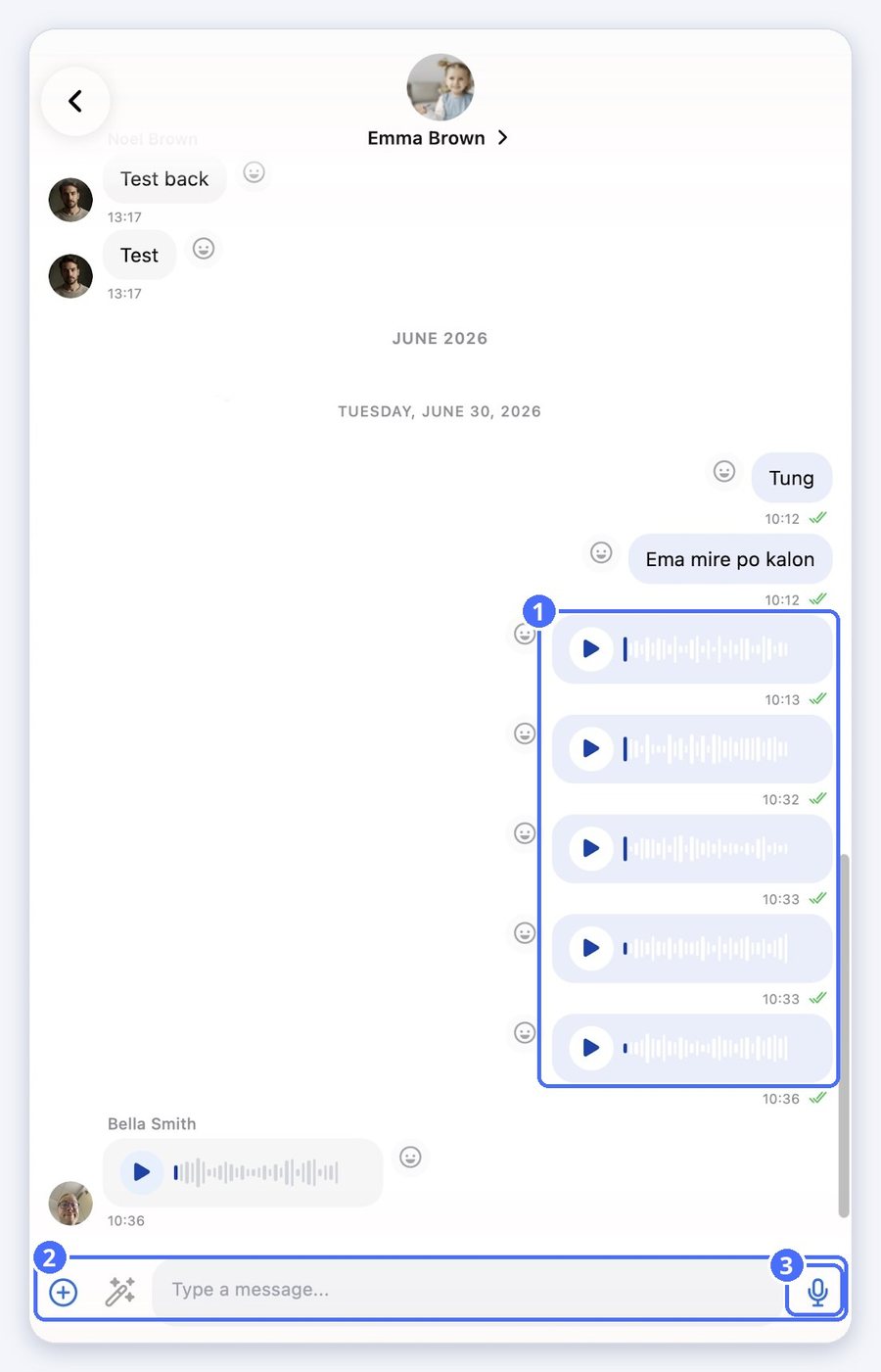
- Type your message in the message box.
- Tap the microphone to record a voice message.
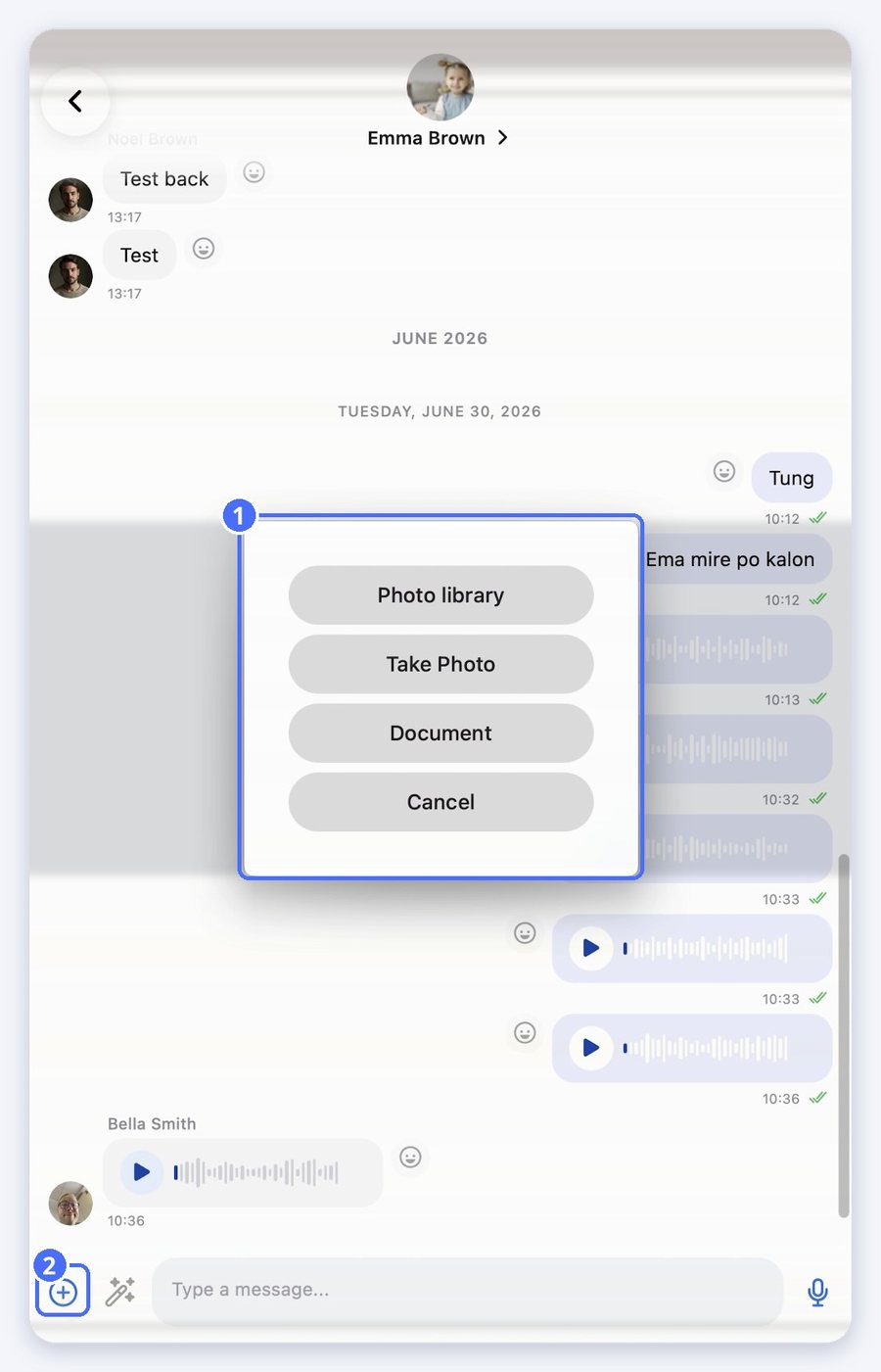
- Tap plus to send a photo from your library, take a photo, or share a document.
Improve your message with AI
- Type your message.
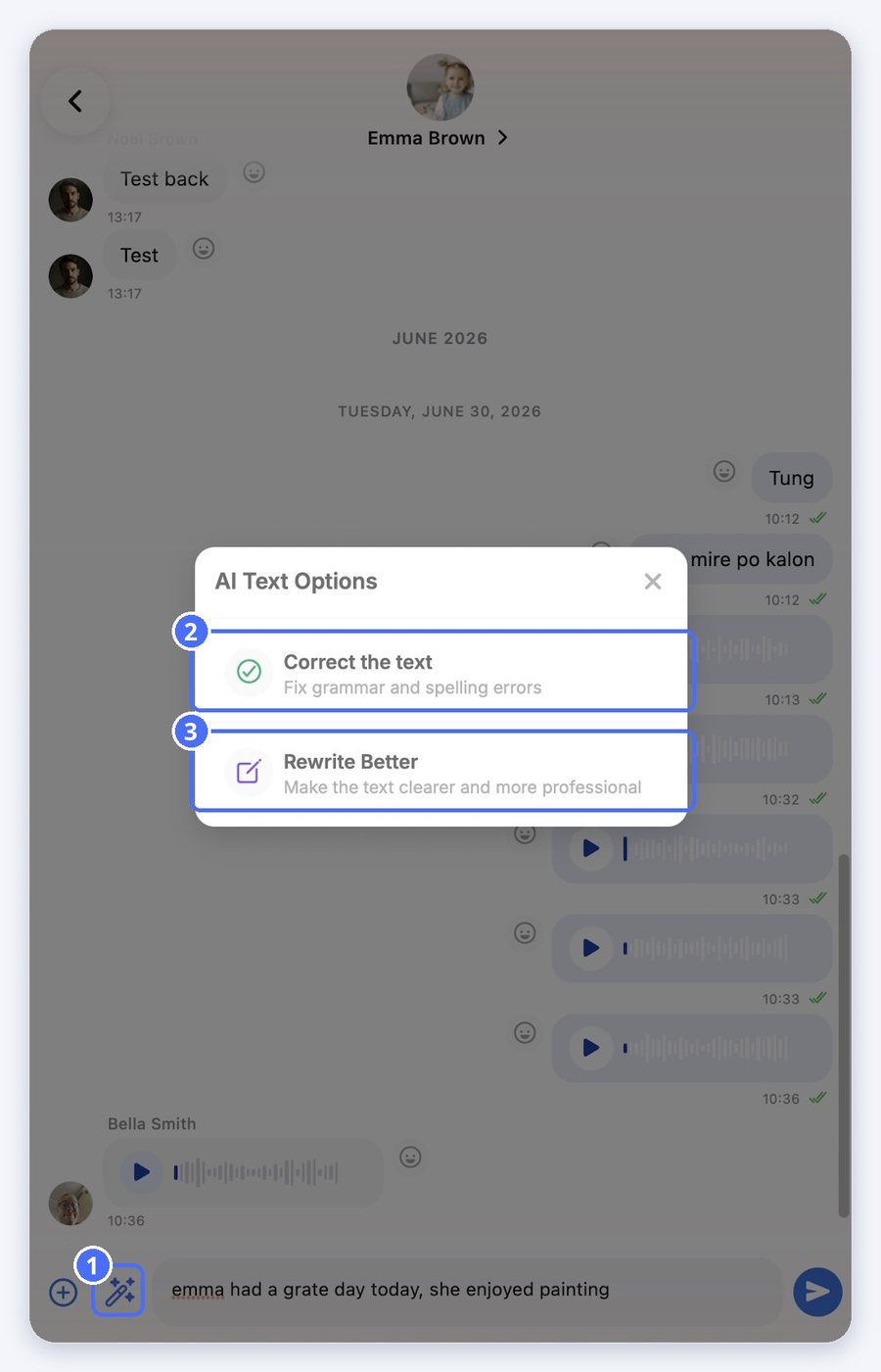
- Tap the magic wand next to the plus button.
- Choose Correct the text to fix grammar and spelling, or Rewrite Better to make it clearer and more professional.
- Check the new text in the message box, then send it.
Tip: The AI only changes the text in your message box. Nothing is sent until you tap send.


