
With the growth and experience of teachers, they may be promoted to higher positions, such as an administrator role. The Kidsday system makes it easy to update staff roles, ensuring a smooth transition.
Steps:
1. Locate the staff member in the system:
-
Go to the search bar on the platform.
-
Type the name of the staff member whose role you want to change.
2. Open the staff member's details:
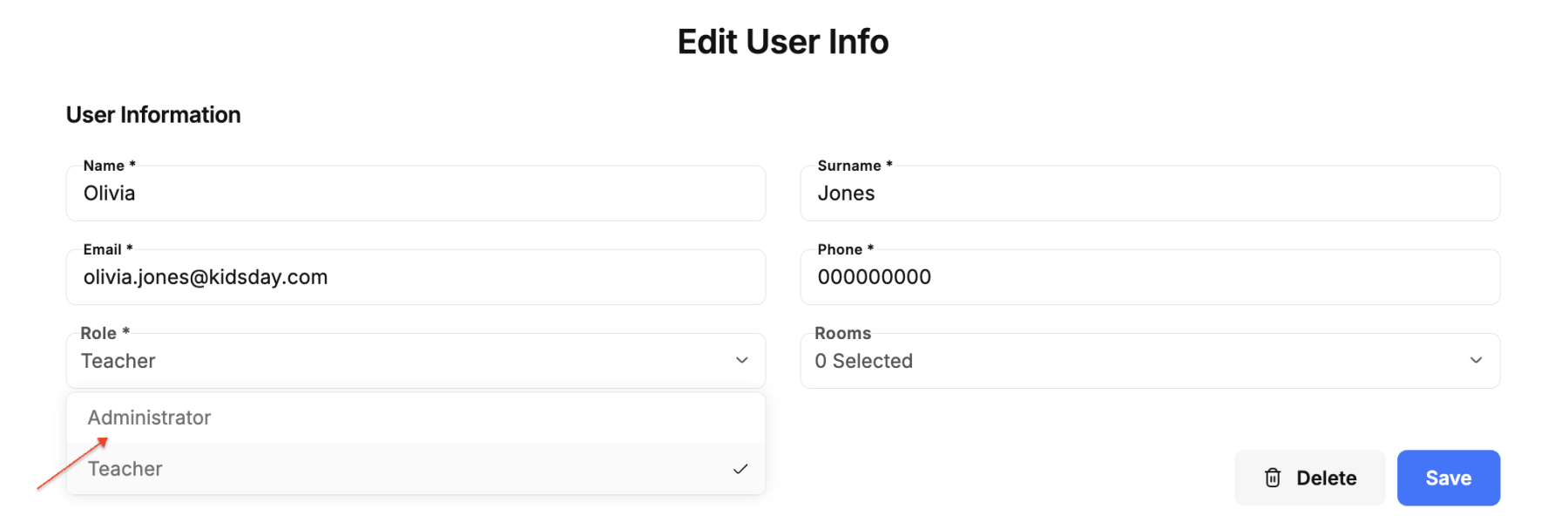
3. Modify the role:
Click on Role field, and a list of role options will appear, such as:
-
Administrator
-
Teacher
4. Save the changes:
-
Make sure to click "Save" to apply the changes.


