
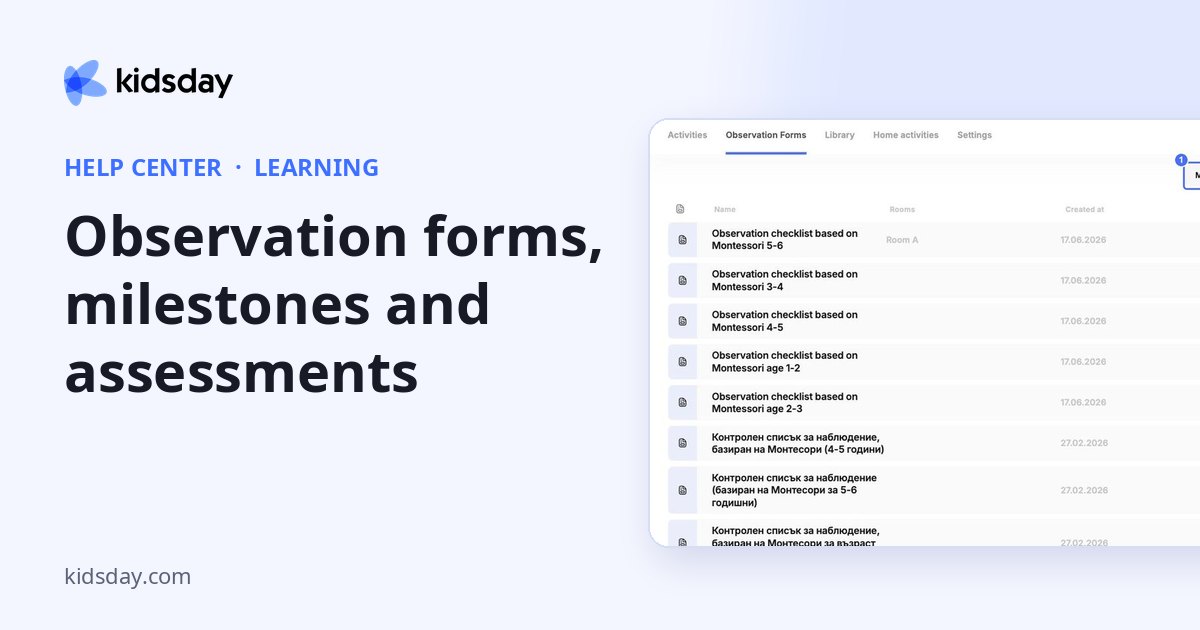
Observation forms are the checklists teachers use to record each child's progress. You'll find the results on the child's Observations tab in School.
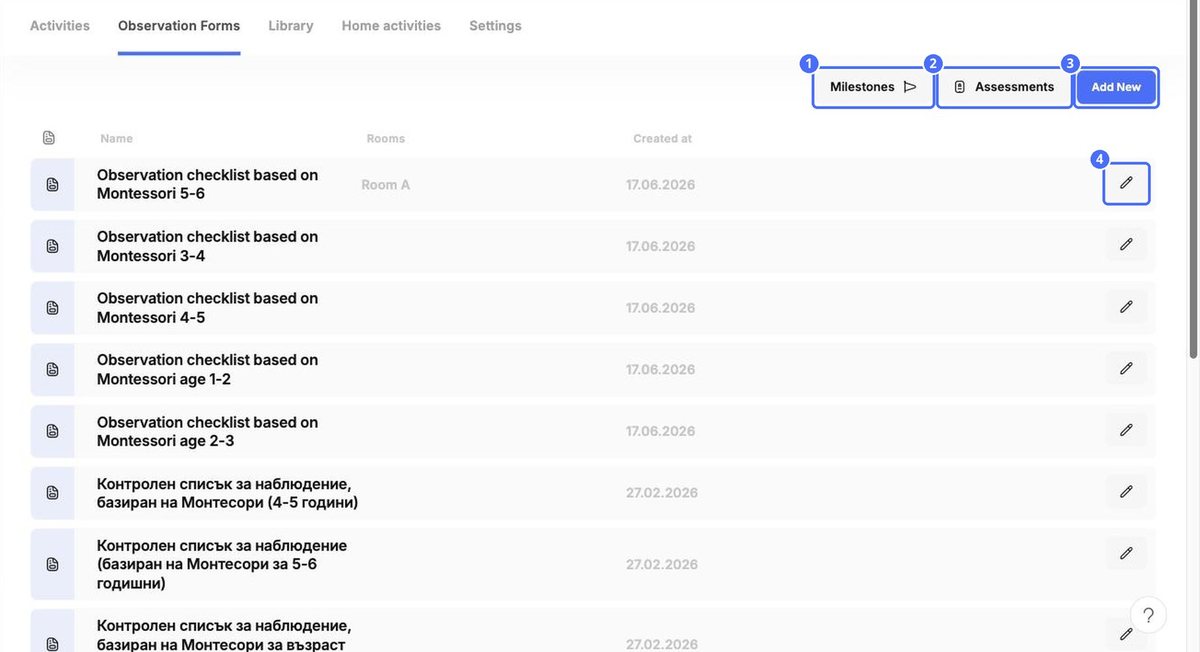
The list shows each form's name, the rooms that use it and when it was created. kidsday includes ready-made forms, such as Montessori and Finnish curriculum checklists for different ages.
Create or edit a form
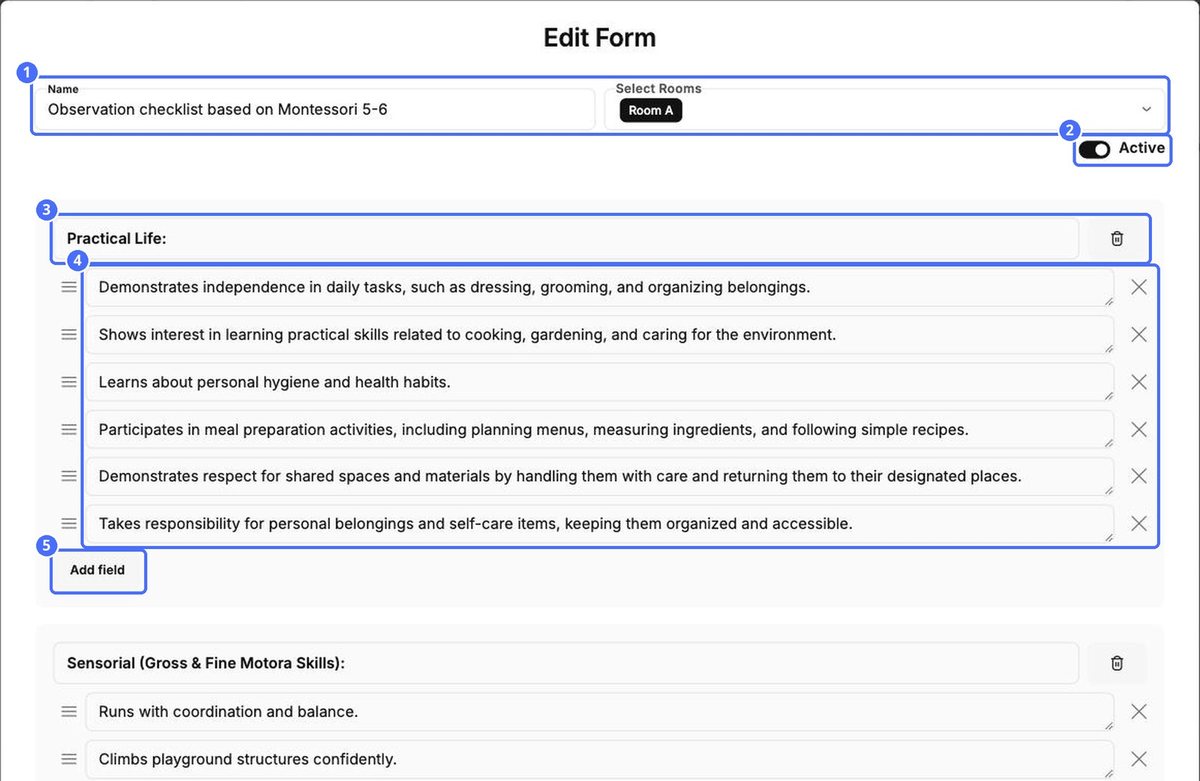
- Click Add New, or the pencil next to a form.
- Enter a Name and choose the rooms under Select Rooms.
- Keep Active switched on so teachers can use the form.
- Give each group of skills a heading, such as Practical Life.
- Write one skill per line. Click Add field to add a line, and drag the handle to change the order.
- Click Add group at the bottom for a new group, then click Save.
Assessment levels
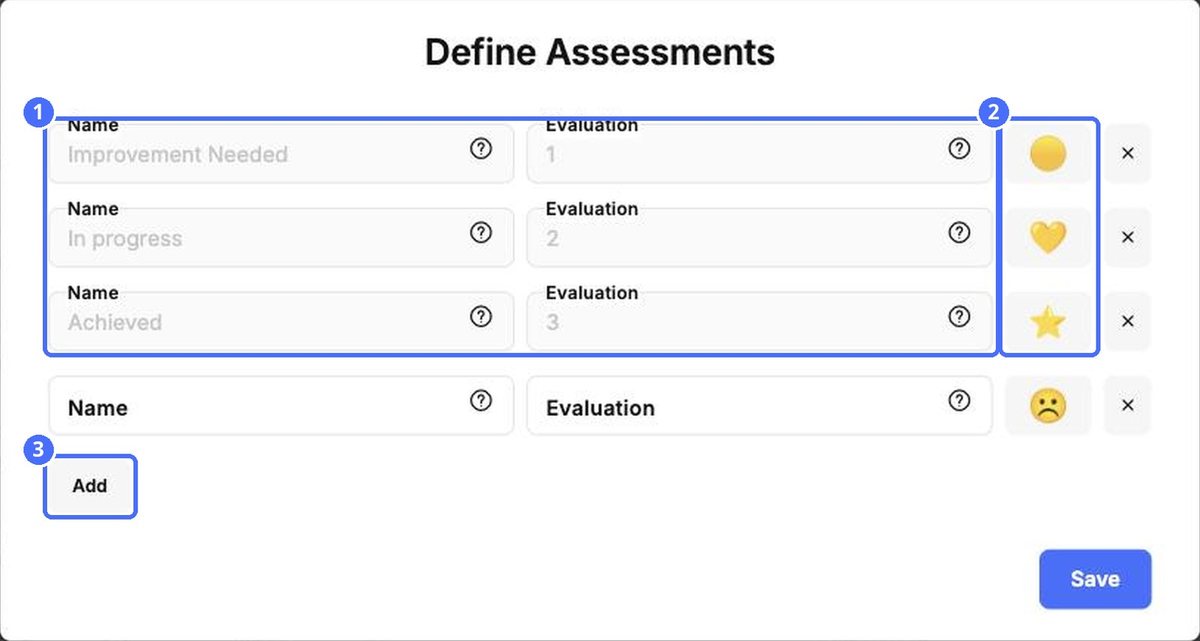
Click Assessments to set the levels teachers choose from for each skill. Each level has a Name, an Evaluation number and an icon, for example Improvement Needed (1), In progress (2) and Achieved (3).
Milestones
Click Milestones to keep a list of the milestones you track. Click Add New and give each one an image, a Name and a Description, then click Save.


