
v3.1.6
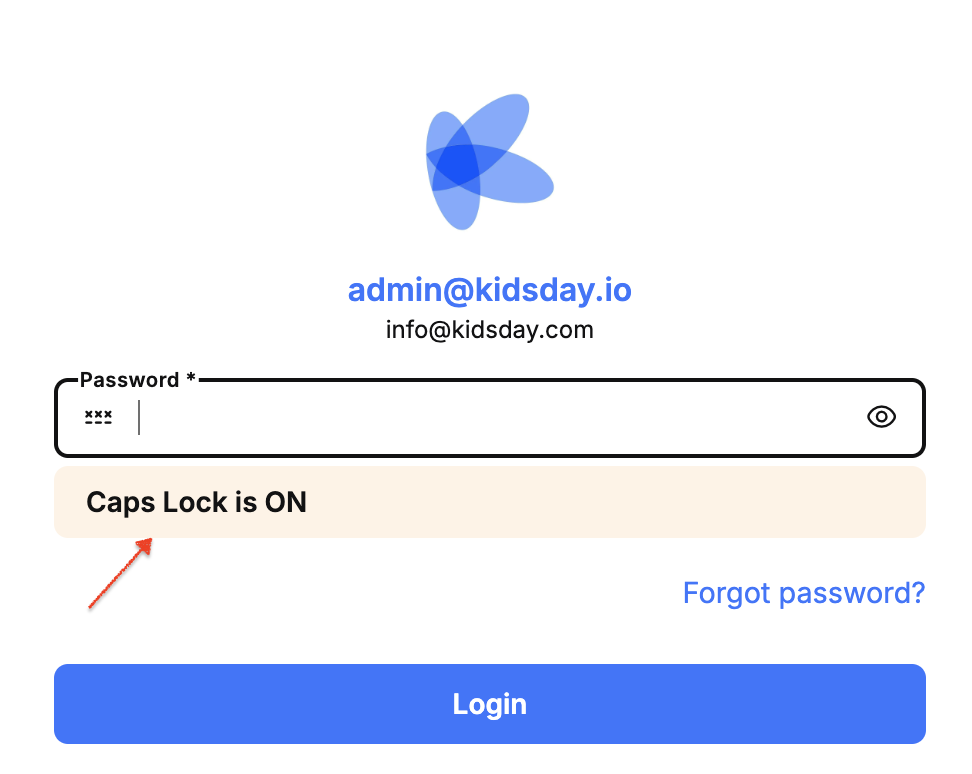
“Caps Lock On” warning and “Show Password” toggle added to the login screen
Caps Lock warning and Show/Hide password option: When a user types their password with Caps Lock enabled, a warning message now appears on the screen. Additionally, an eye icon has been added, allowing users to toggle between showing and hiding their password as they type.
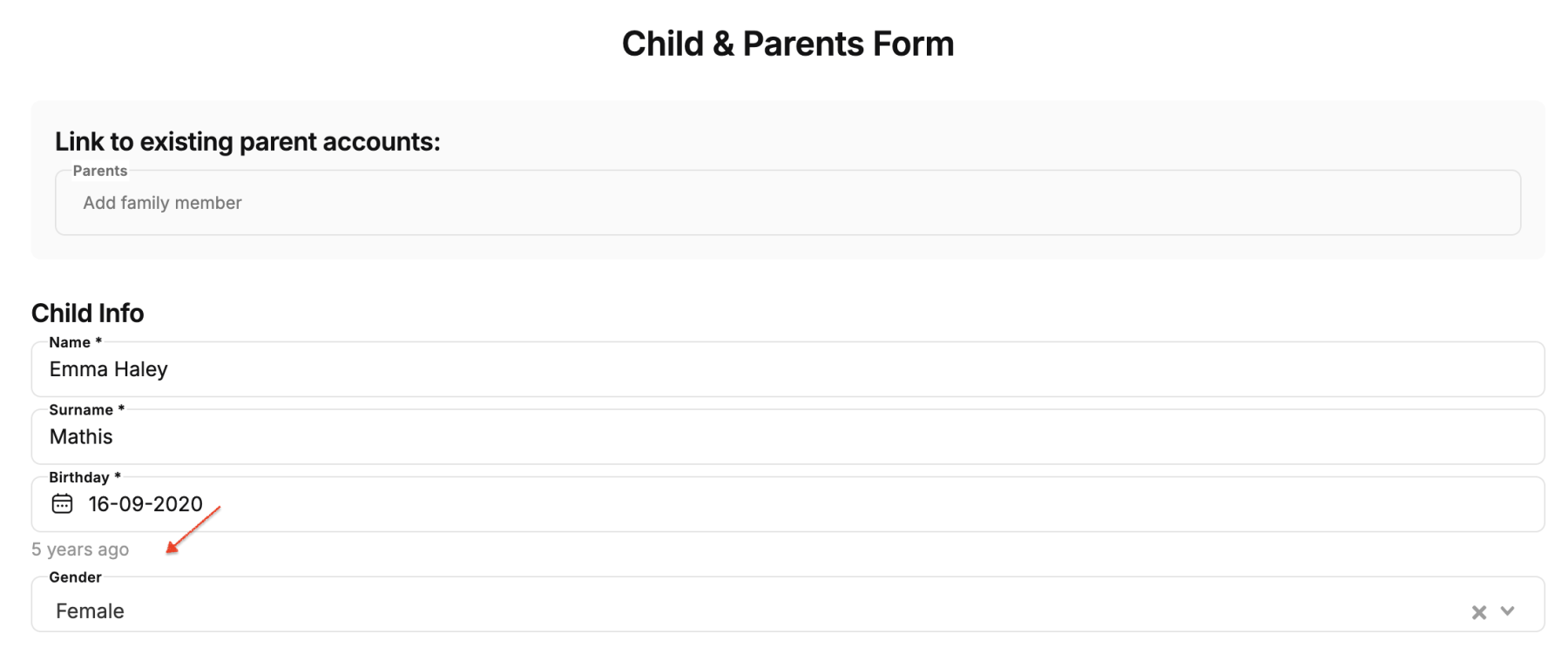
Child’s age is now automatically displayed in the parent registration form
Automatic age calculation in the parent registration form: When a parent fills in the registration form and selects the child's date of birth, the system automatically calculates and displays the child's age next to the date. This allows administrators to instantly see the child's exact age without needing to calculate it manually.
Invoice due date is now displayed correctly
Invoice due date is now displayed correctly: Previously, in some cases, the invoice due date appeared as the same date as the start date, causing confusion. This has now been fixed parents can clearly see the correct payment deadline in the invoice details.
Push notifications for events now reach parents (Parent App)
Event notifications now work for parents: There was an issue where parents did not receive push notifications when an event was published in the app.This has been resolved every new event now sends a notification directly to the parent app.
Uploading high-quality photos in messages
Uploading high-quality photos in messages: Previously, uploading RAW (high-capacity) photos in parent messages could cause an error. This has now been fixed large, high-quality images upload without issues.


