It’s common for staff or parents to forget their passwords. As an administrator, you can resolve this issue quickly and easily by sending them a link to reset their password. Follow these simple steps:
-
Search for the parent or staff member's name:
Use the search bar at the top of kidsday to locate the profile of the person who has forgotten their password. -
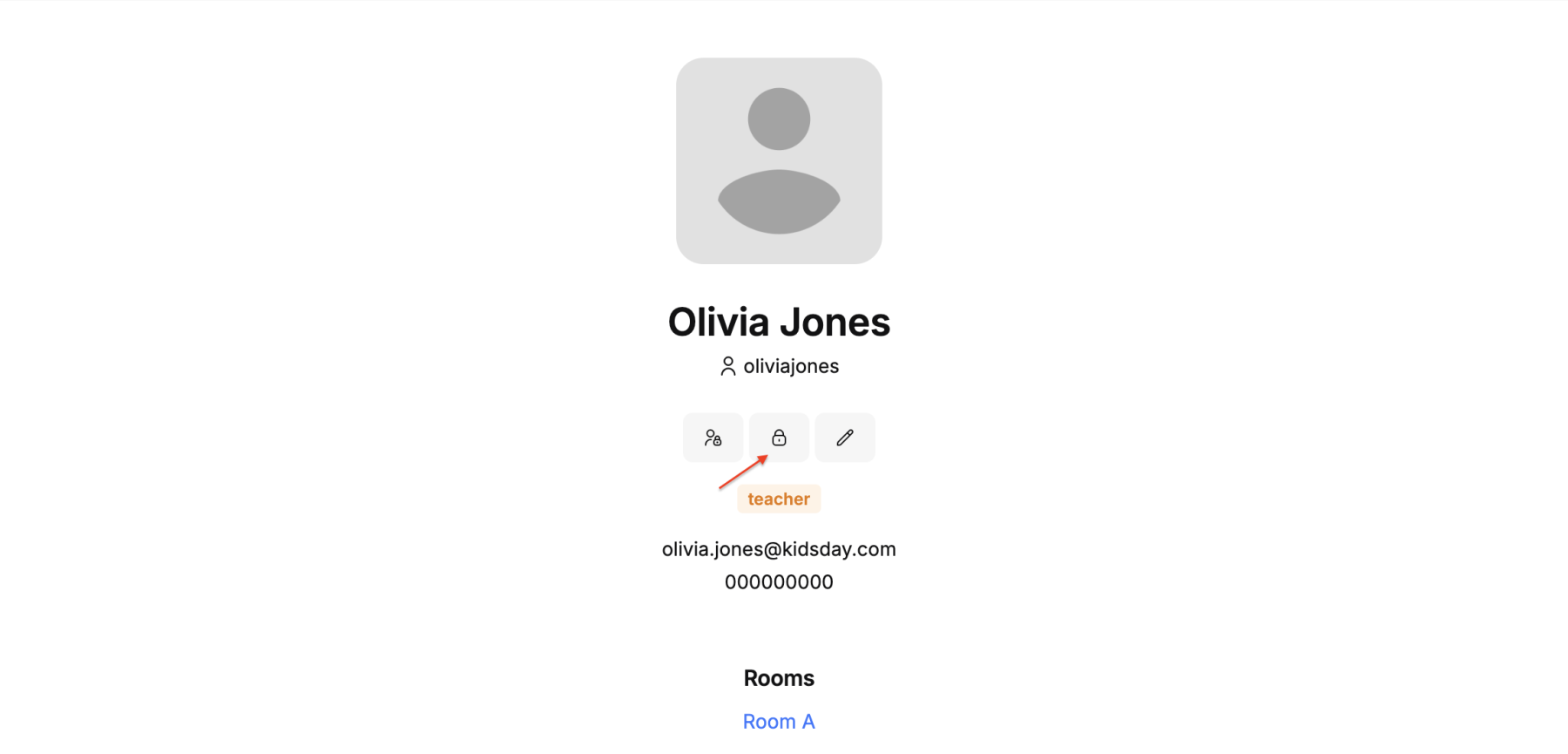
Click on the password icon:
Once the profile is open, find and click the dedicated icon for password management.
-
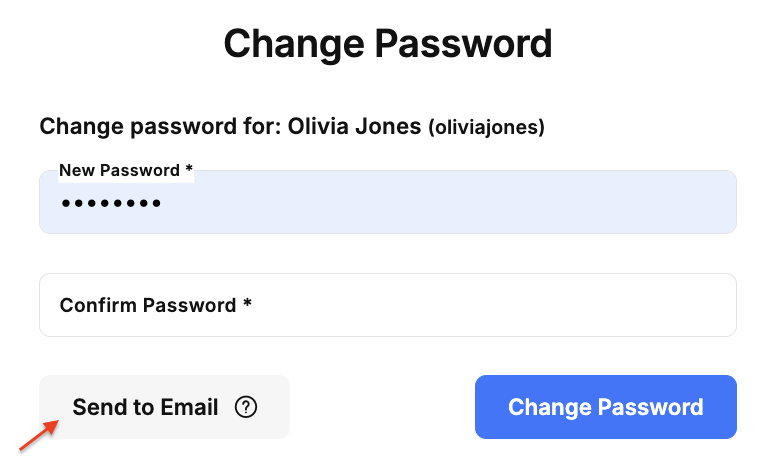
Select the option "Send via Email":
From the presented options, click "Send via Email." This action will automatically generate and send an email with the password reset link to the registered email address.