To ensure smooth management of your daycare or educational center, adding staff members such as teachers to the Kidsday system is essential. Follow the steps below to register a teacher efficiently.
1. Navigate to the School - Staff
2. Click on the top right corner and select the "Add Staff" option
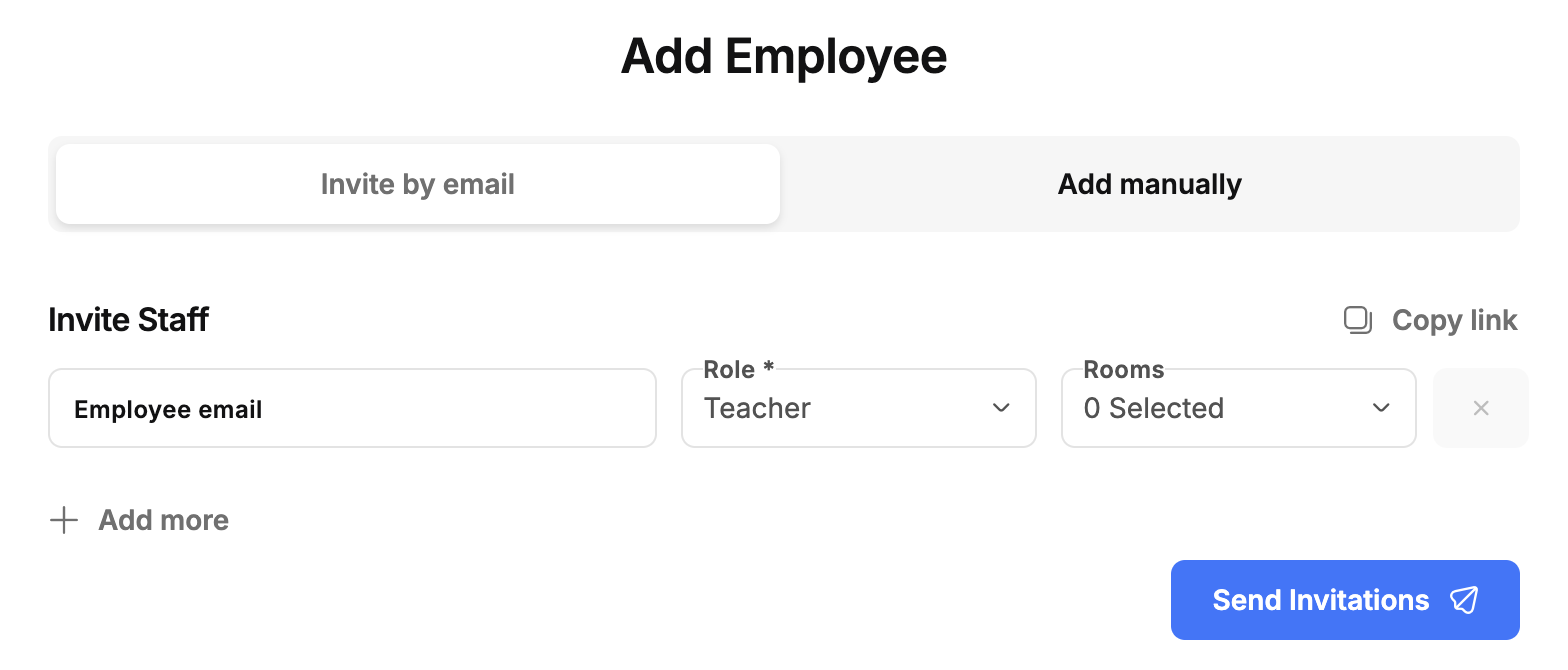
Option 1: Invite Staff by Email
- Choose this option if you want to invite the staff member to join via email.
- Enter their email address, and kidsday will automatically send them a registration form.
Option 2: Add Staff Manually
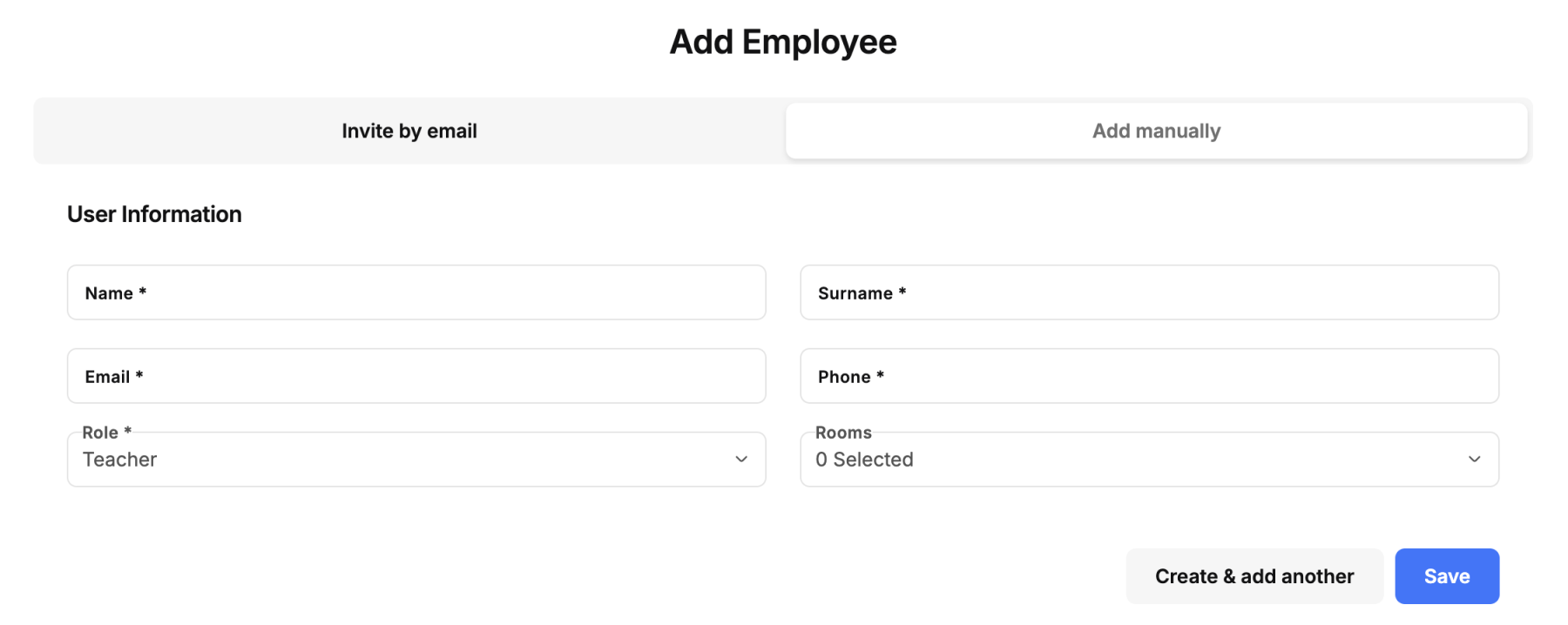
- Select this option to input the teacher’s details directly into the system.
- Fill in the required fields, such as the teacher’s name, role, and any other necessary information.
- Click “Save” to complete the registration.