Your profile, working hours and app language

Confirm your email, switch centers, track your working hours, update your details and change the app language.

Your profile, working hours and app language

Tap Profile in the bottom bar.
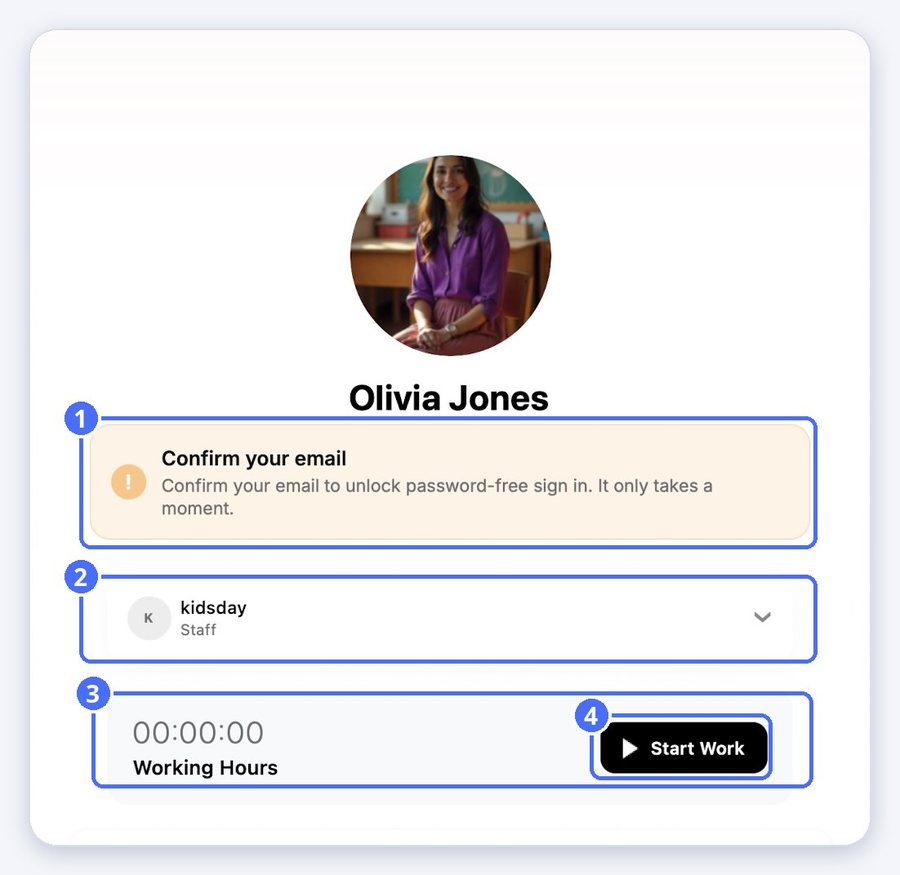
(1) Confirm your email, (2) switch center, (3) working hours, (4) Start Work
  • Confirm your email to unlock password-free sign-in.
  • If you work in more than one center, tap the center to switch.
  • Tap Start Work when your shift begins to track your working hours.
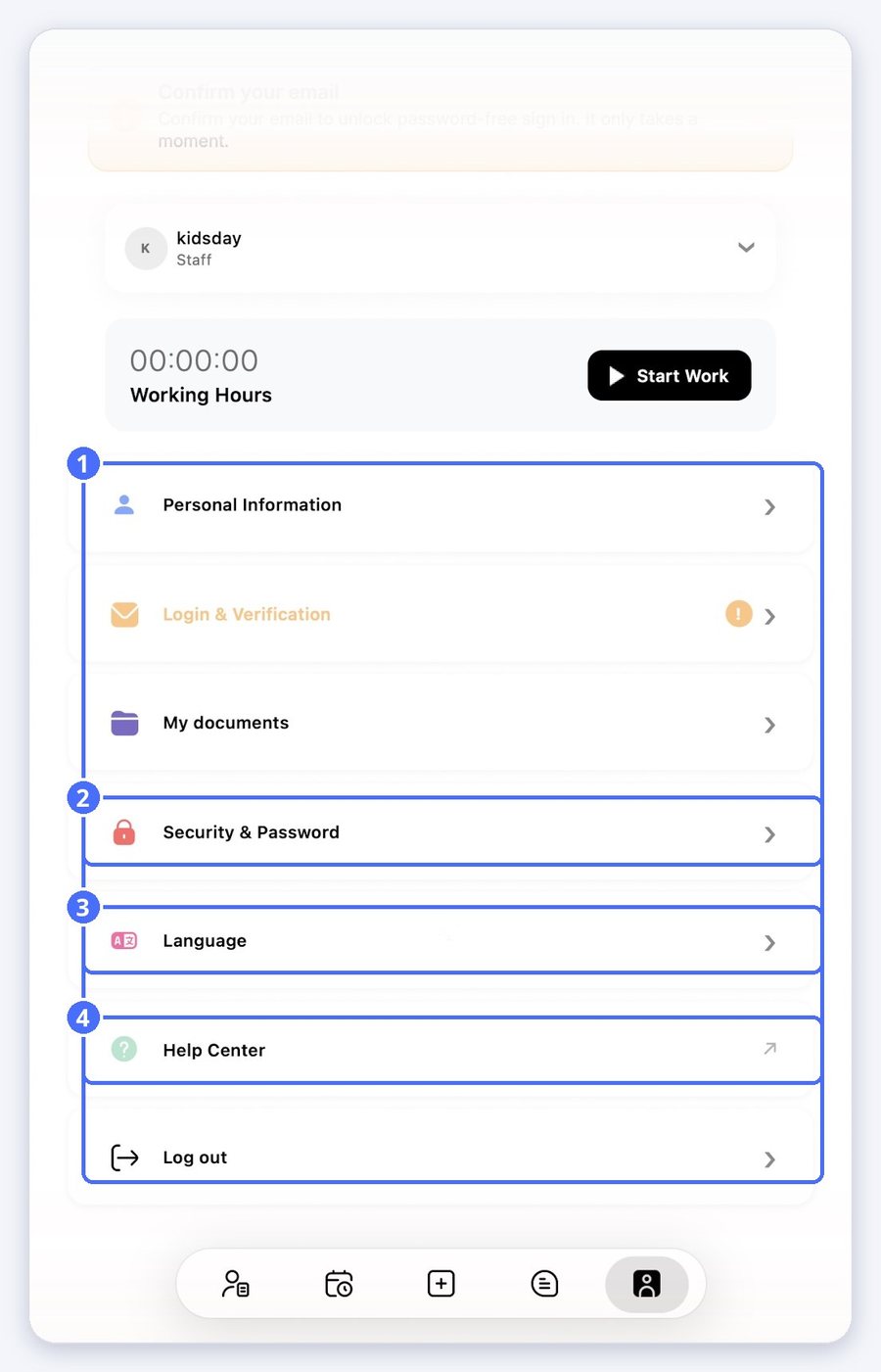
(1) Your account settings, (2) Security & Password, (3) Language, (4) Help Center
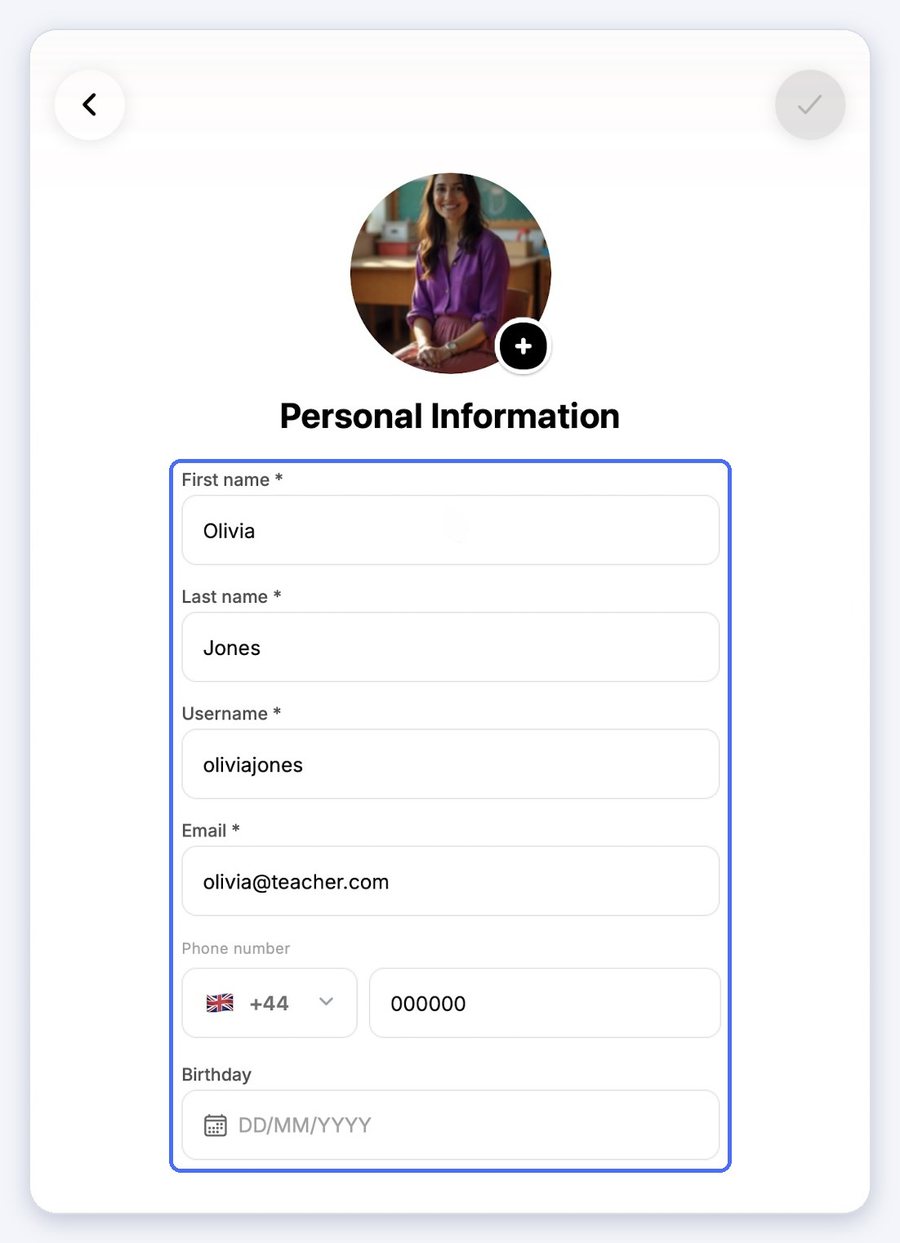
  • Personal Information: your name, username, email, phone number and birthday.
  • Login & Verification: how you sign in.
  • My documents: your staff documents.
  • Security & Password: change your password.
  • Help Center: these guides.
  • Log out: sign out of the app.
(1) Your personal information

Change the app language

  1. Tap Language.
  2. Choose your language.
  3. Tap the check mark at the top right to save.
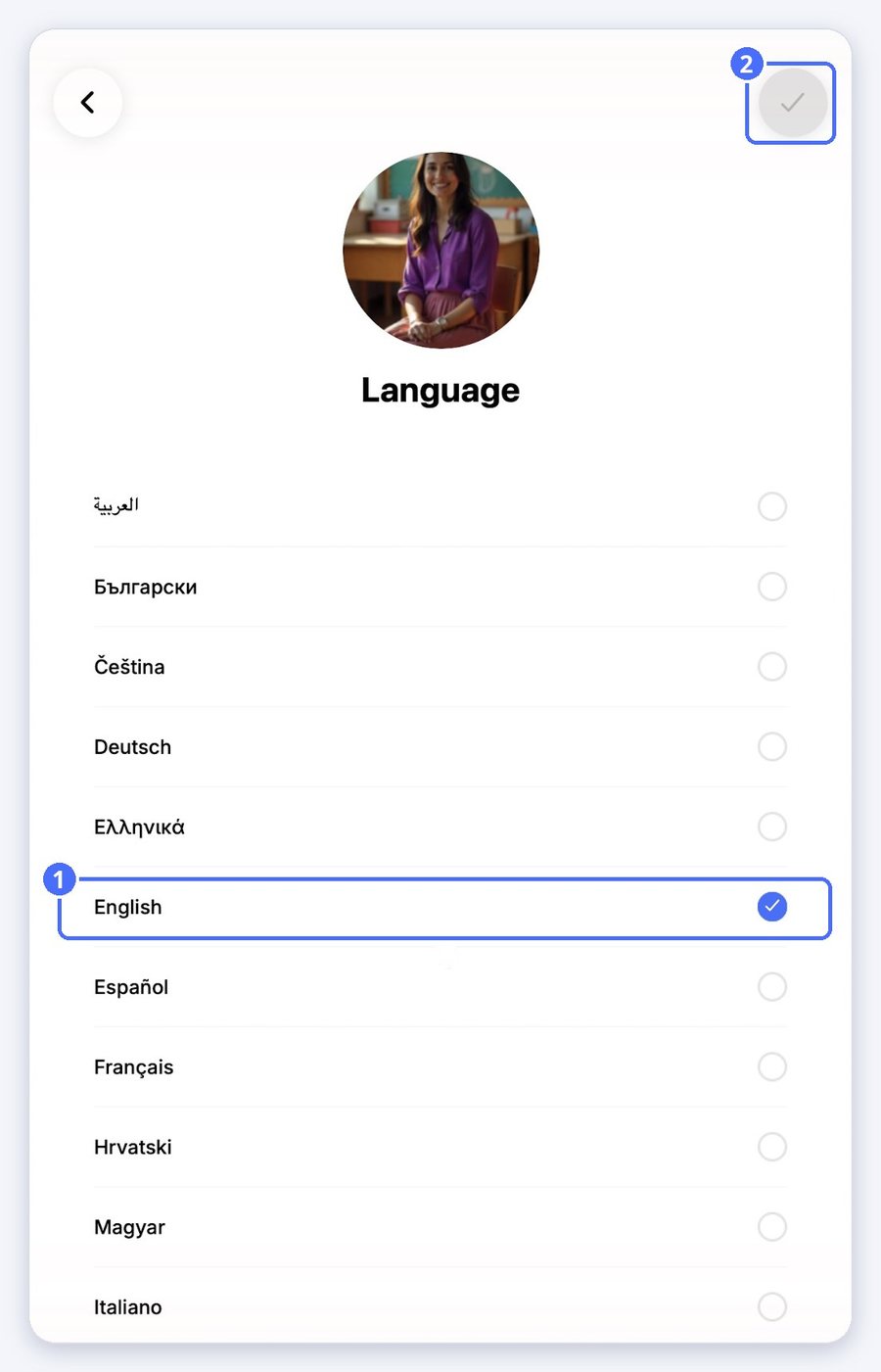
(1) The selected language, (2) save

Tip: The Daily Actions reminders keep following your school's language.

Related topics

Empower your center, your team, and your children