
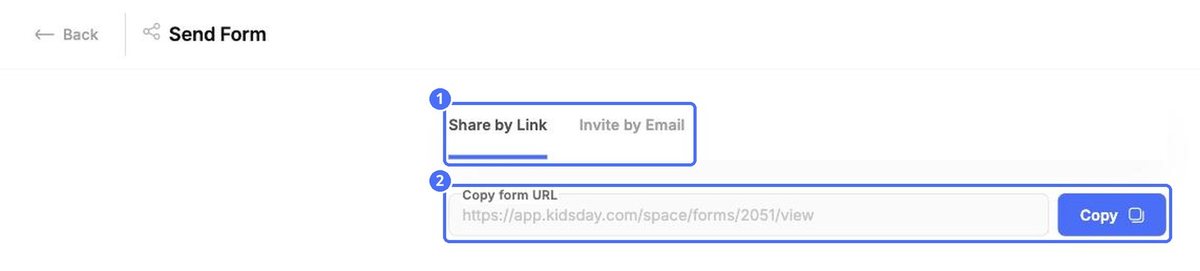
Click Invite Parents at the top right of the board. The Send Form page offers two ways to reach families.
Share by Link
Copy the form's web address and share it wherever families will see it: your website, social media or a newsletter. Anyone with the link can fill in the form.
Invite by Email
- Open the Invite by Email tab.
- Enter a parent's email address.
- Click Add another email to invite more families at once.
- Click Send Invitations.
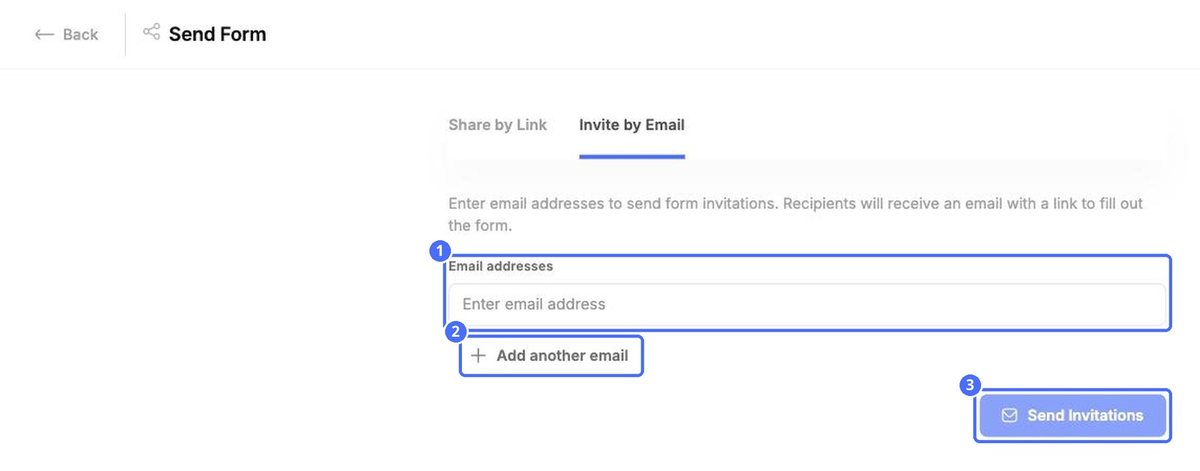
Each family gets an email with a link to the form, and their card appears in the Invited column.
Remind a family or cancel an invitation
- Remind parent on an invited card sends the family a reminder to fill in the form.
- The red bin removes the invitation from the board.
Note: Click Back at the top left to return to the board.


