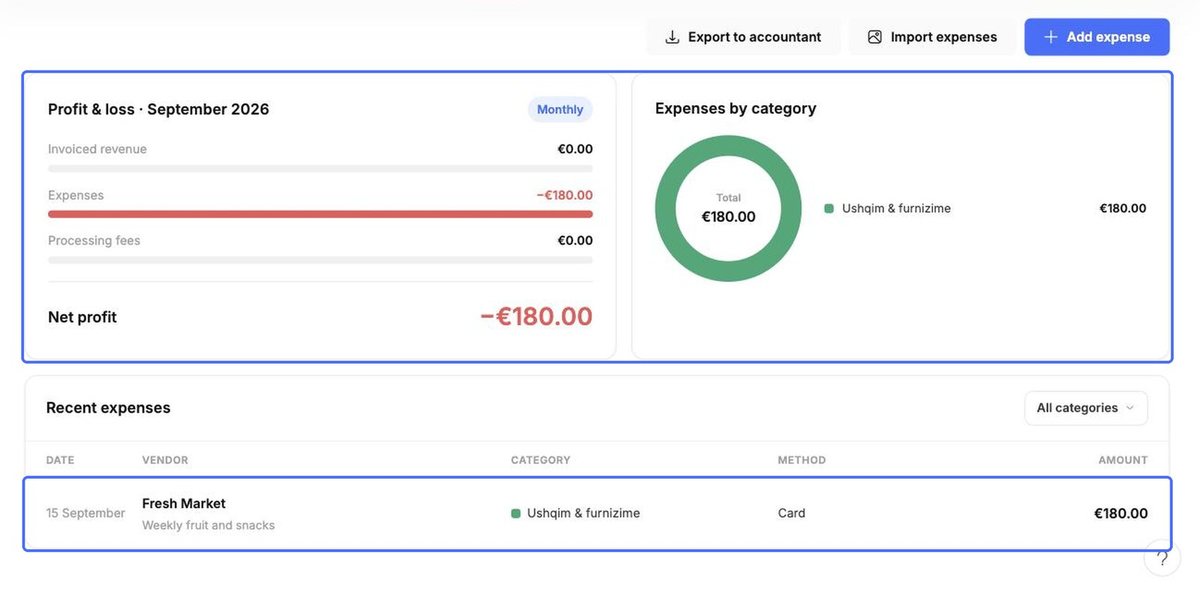
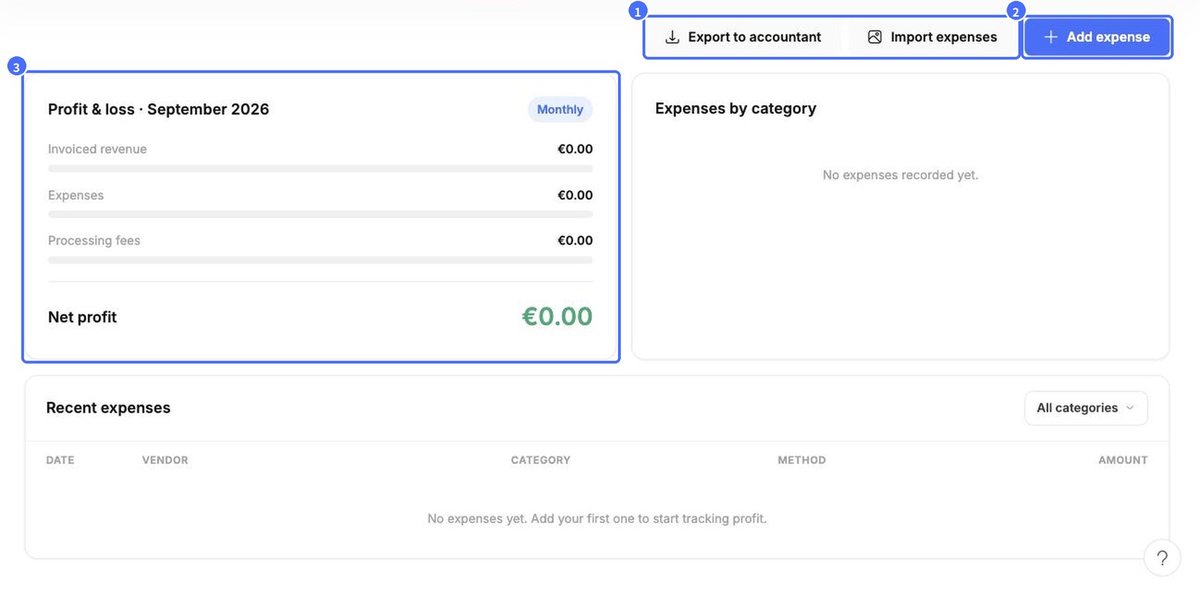
The Expenses tab shows your Profit & loss for the month – invoiced revenue minus expenses and processing fees – and a breakdown of Expenses by category.
Add an expense
- Click Add expense.
- Under 1 · What was it?, enter the Vendor / payee, Amount (total paid) and a Description, and pick a Category (or add a custom one). The Summary shows how it affects your books.
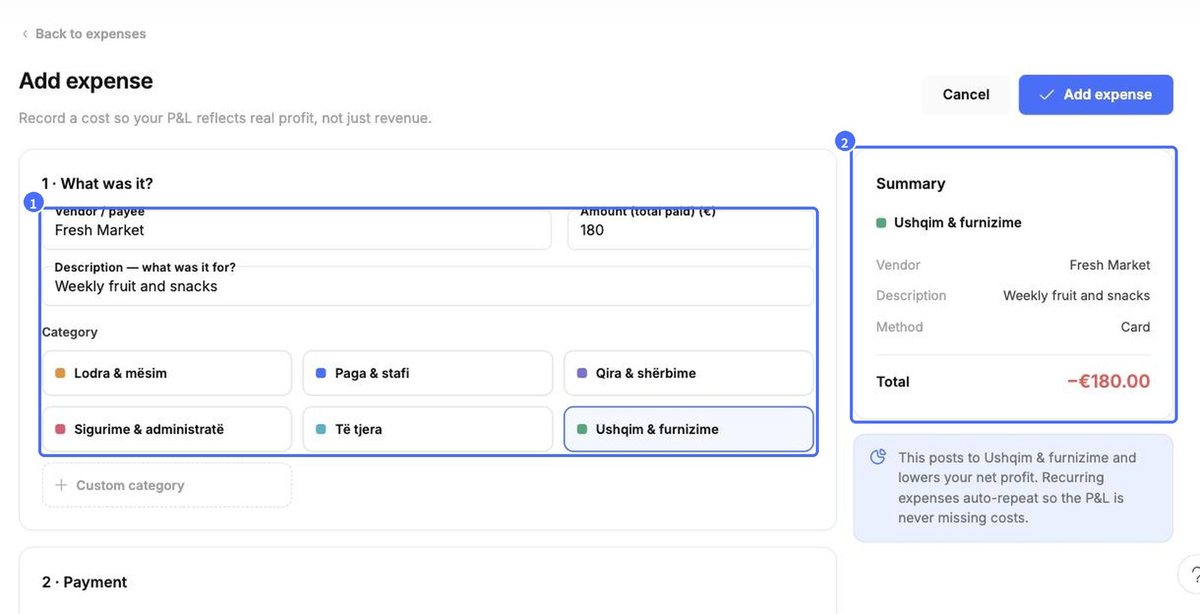
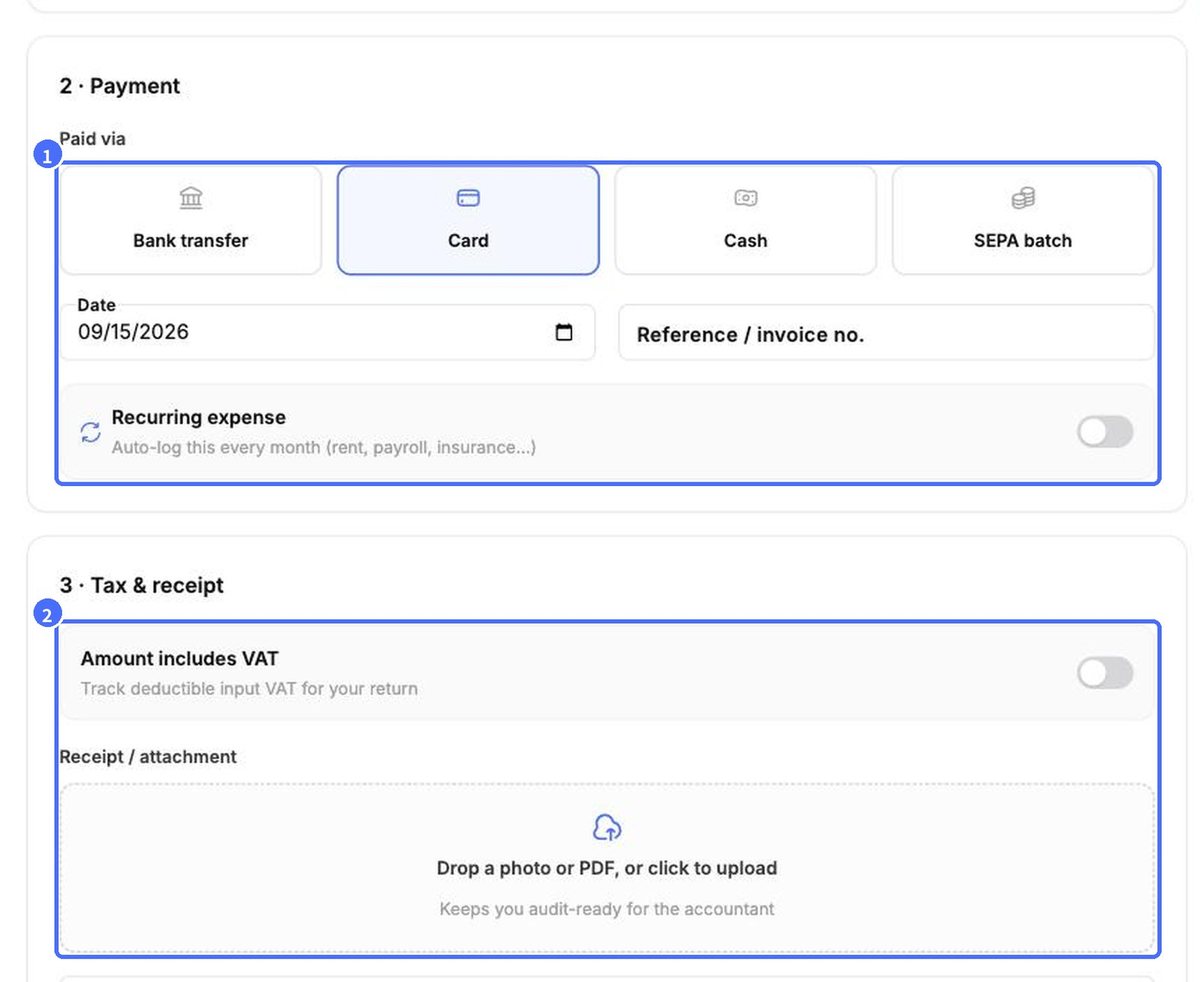
- Under 2 · Payment, choose how it was paid (Bank transfer, Card, Cash, SEPA batch), the Date and a reference. Switch on Recurring expense for monthly costs such as rent, payroll or insurance.
- Under 3 · Tax & receipt, switch on Amount includes VAT to track deductible input VAT, and attach the receipt.
- Click Add expense.
Profit & loss and the category chart update immediately, and the expense appears under Recent expenses.