
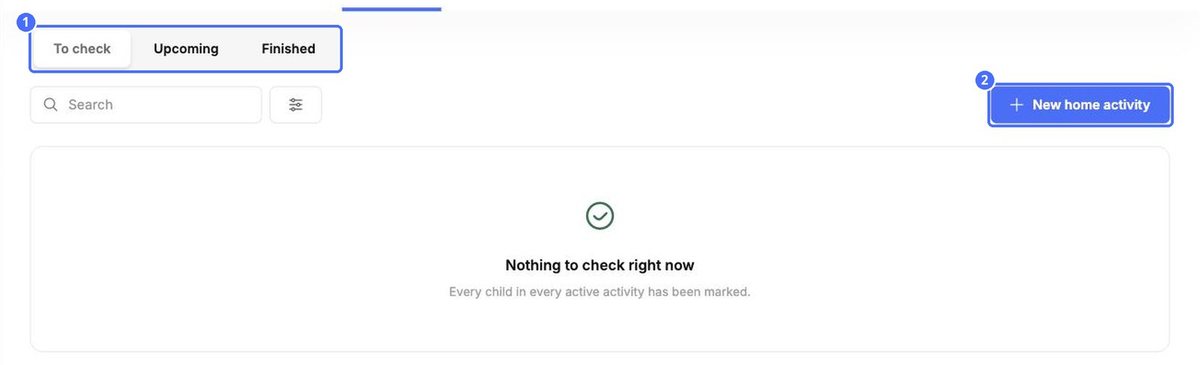
Home activities are small tasks children do at home with their families. The Home activities tab has three lists:
- To check: activities where you still need to mark children.
- Upcoming: activities that are not due yet.
- Finished: activities that are done.
Send an activity home
- Click New home activity.
- Enter a Title and Instructions. Correct the text fixes spelling and grammar.
- Set the Due date.
- Click Choose an Image to add a picture.
- Under Who is this for?, choose the rooms, or search for children and pick them one by one.
- Click Save.
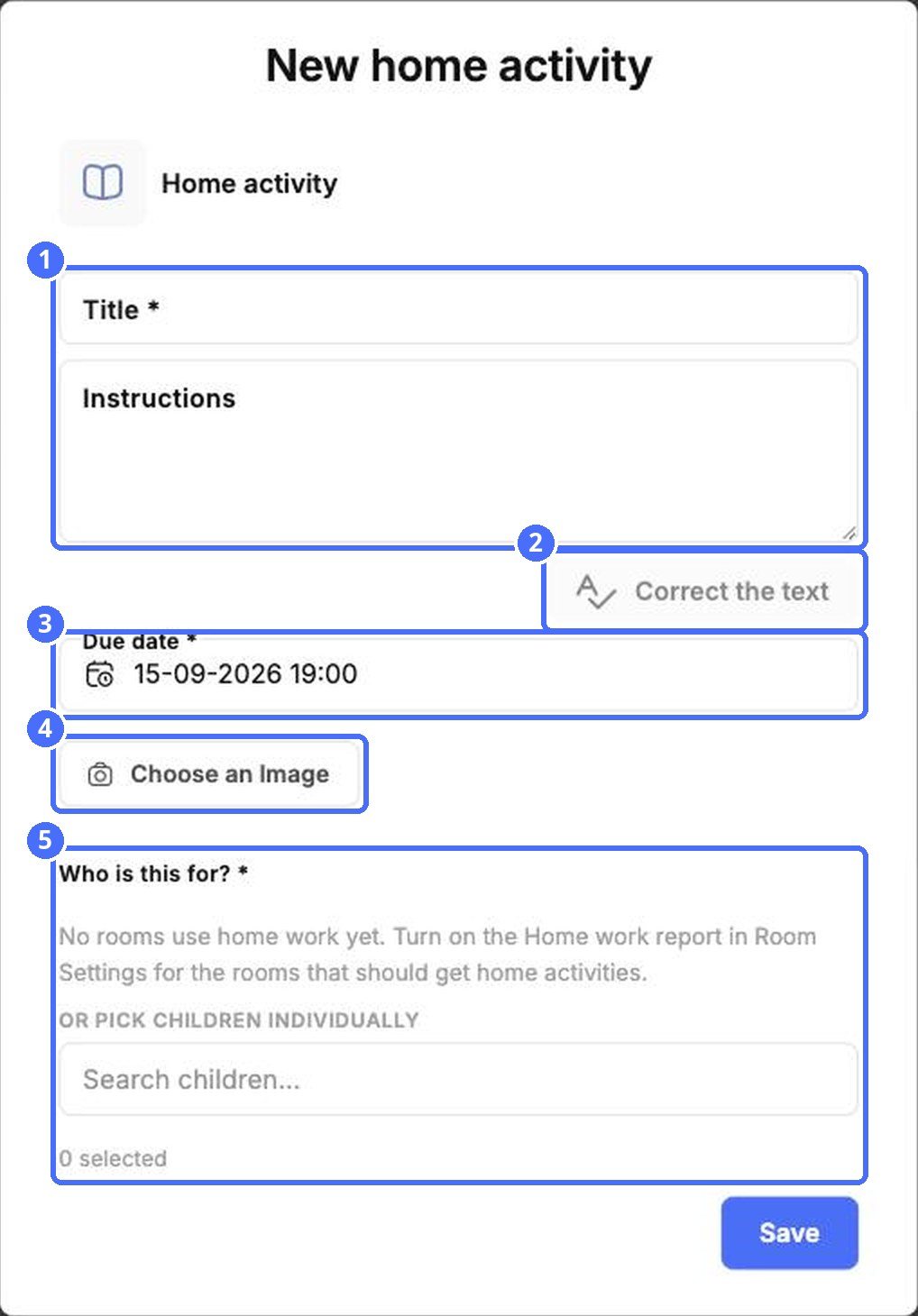
Note: Rooms appear under Who is this for? only when the Home work report is switched on in that room's settings.


