
The ? button in the bottom-right corner of every page opens a help menu.
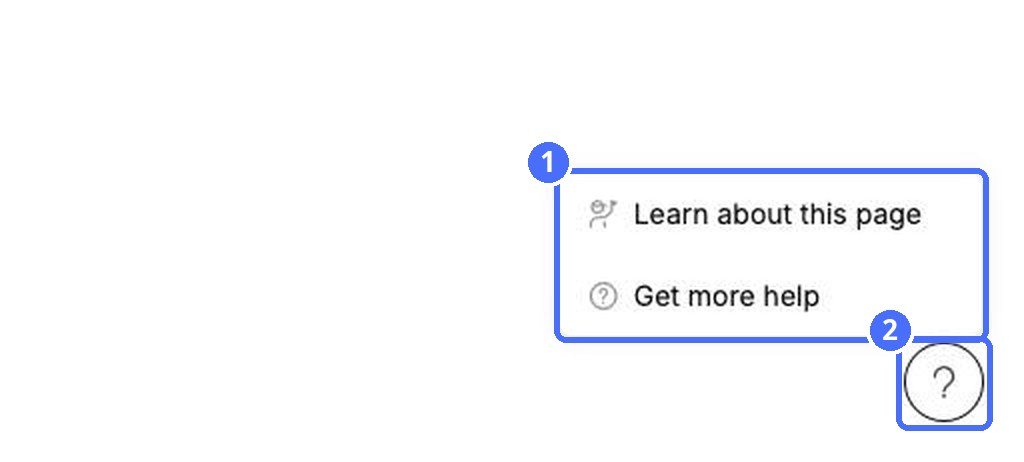
- Learn about this page – explains the page you are on.
- Get more help – opens the kidsday Help Center with step-by-step topics like this one.
Use the ? button on any page to learn about the page you are on or open the kidsday Help Center.
The ? button in the bottom-right corner of every page opens a help menu.
A quick tour of the kidsday web app: the center switcher, the main and Administration menus, Settings and what each page is for.
The recommended order for setting up a new kidsday center, from school settings to inviting staff and families.
Quick answers about language, email verification, working in several centers, hiding billing amounts and finding more guides.


