
HR › Settings holds the rules the rest of the leave features follow. Get these right once and the queue, the balances and the day counts all behave.
Leave types
Each type is a row: a colour, its name, the rules in plain words, a day-allowance stepper, an on/off toggle and a chevron to edit it. The side note is worth remembering — only enabled types can be picked when registering a leave, and types without an allowance are unlimited.
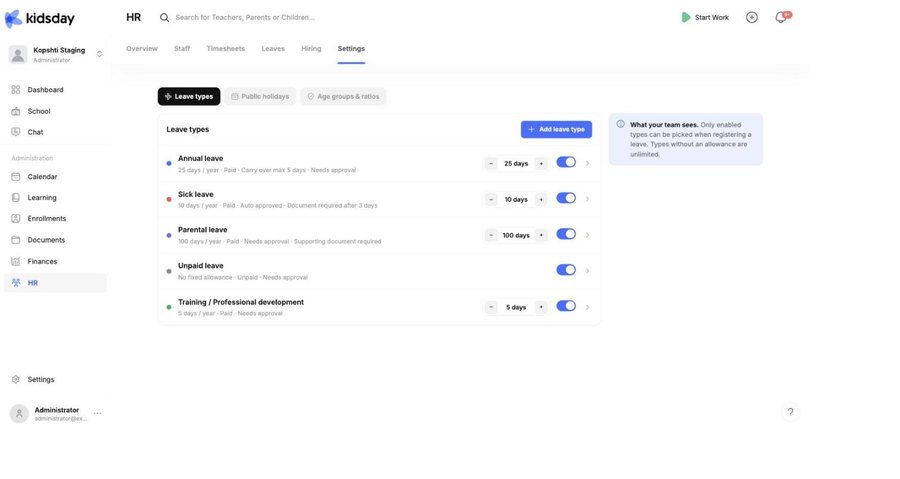
Edit a type
- Select the chevron at the end of the row.
- Change what you need and select Save.
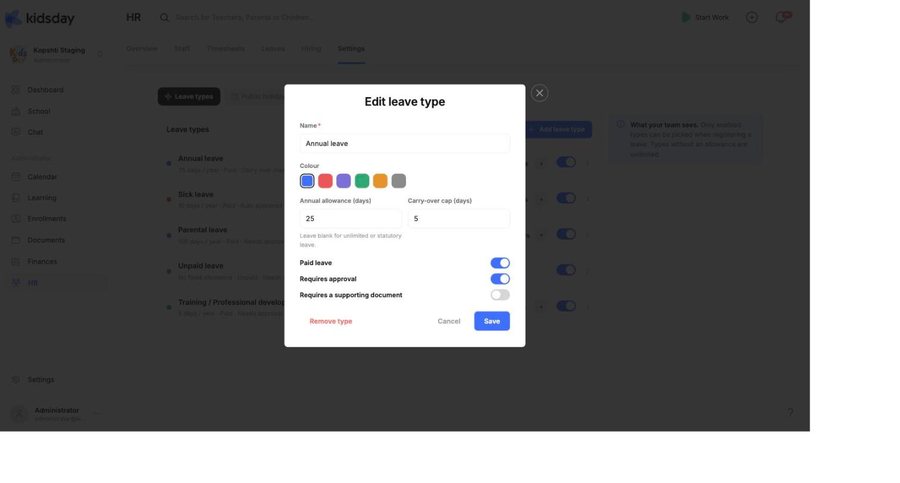
- Name — what the team sees everywhere: the pills, the calendar legend, the timesheet chips.
- Colour — how it is drawn on the calendar and the timesheet grid. Give the types you use most the most distinct colours.
- Annual allowance (days) — the entitlement per person per year. Leave it blank for unlimited or statutory leave.
- Carry-over cap (days) — the most that can roll into next year. Blank means none carries over.
- Paid leave — whether the days are paid.
- Requires approval — on, and it waits in the queue; off, and it is granted on registration.
- Requires a supporting document — ask for a note, such as a medical certificate.
Tip: Turning a type off rather than removing it keeps every past record intact. Removing a type is for one created by mistake.
Add a type
Add leave type opens the same form empty. Types centers commonly add beyond the defaults: compassionate leave, study leave, and an unpaid type with no allowance for longer absences.
Public holidays
Holidays decide which days inside a leave request are free. The note says it plainly: public holidays are skipped when leave days are counted. A week with a bank holiday in it costs four days, not five.
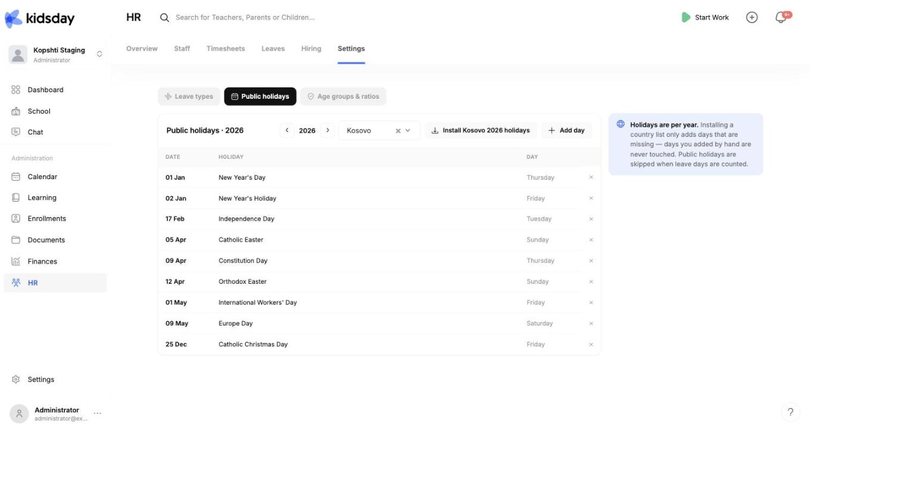
- Pick the year with the stepper.
- Choose your country and select Install … holidays.
- Add anything the list misses with Add day — a local feast day, or a day your center closes.
- Remove a day you do not observe with the × at the end of its row.
Note: Holidays are stored per year, and installing a country list only adds days that are missing — days you added by hand are never touched. Install next year's list when you plan next year's leave.


